Summarize the latest InfoLabs project updates
Find & summarize
Get the key decisions, deadlines, and action items from pages Mira can access without reading every document yourself.

Turn messages, voice notes, and scattered updates into organized Notion pages. Find information, update databases, and automate recurring work directly from Telegram.
Summarize the latest InfoLabs project updates
Get the key decisions, deadlines, and action items from pages Mira can access without reading every document yourself.
Save this idea to my content database.
Turn a message, link, or voice note into an organized Notion entry with the relevant title, summary, and properties.
Create a launch brief from these notes
Transform unstructured information into a clear Notion page with sections, action items, owners, and next steps.
Mark the website redesign as in review
Update statuses, dates, owners, and other properties in connected Notion databases without opening the project board.
What did we decide about the pricing change?
Search accessible pages and return the relevant decision, supporting context, and source page instead of making you hunt through the workspace.
Add these action items to the roadmap.
Extract tasks from a conversation and add them to the appropriate database with useful details, priorities, and due dates.
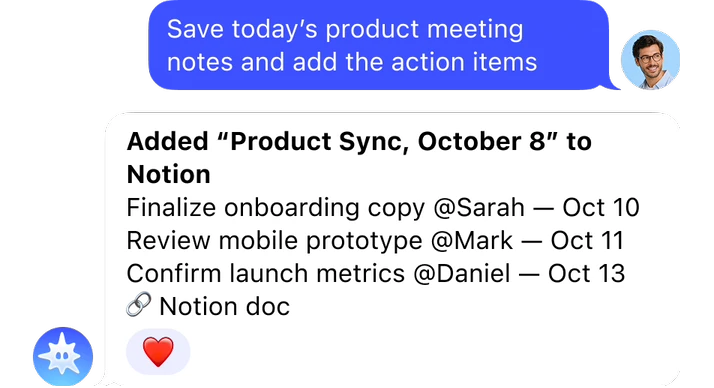
Keep decisions and responsibilities from disappearing into chat history. Mira turns meeting notes into a structured page and records the follow-up work.
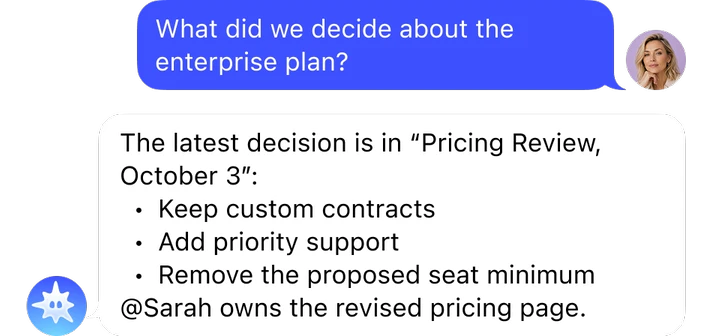

Get a direct answer from accessible workspace content without searching through meeting notes, strategy documents, and project pages.
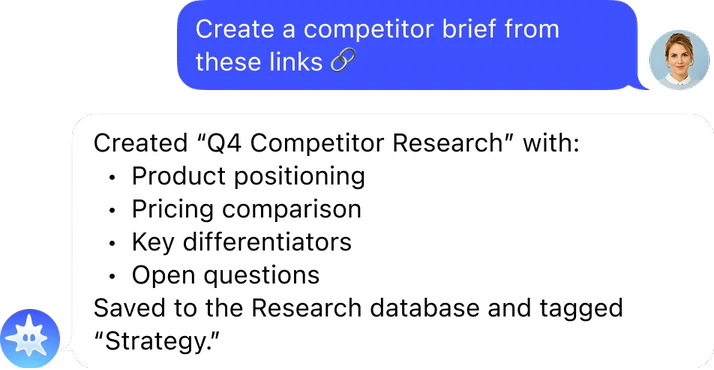

Move from scattered links to structured research. Mira summarizes the material and saves it in a format the team can use.
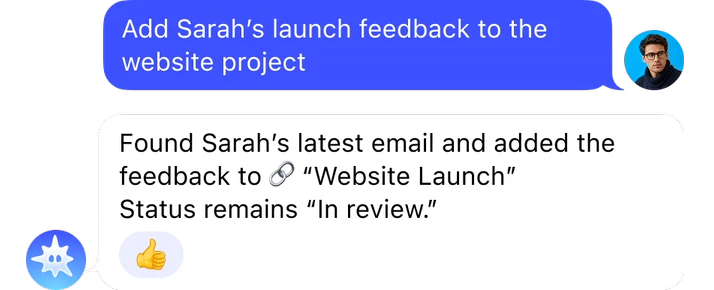

Move useful information between connected tools without copying and pasting. Mira finds the source, extracts the important details, and updates the right record.
Send Mira a voice note and have the transcription saved to the right Notion page or database before the idea gets lost.
Route new thoughts, links, facts, and tasks to the appropriate database with consistent titles, tags, and properties.
Review selected project pages on a schedule and receive a concise Telegram update covering progress, blockers, owners, and upcoming deadlines.
Check a task database each morning and surface overdue or unassigned work, so problems are visible before they delay a project.
Use a Notion document as the source for a presentation workflow, turning an approved brief into a structured deck without rebuilding it slide by slide.
Run a workflow that turns an approved Notion page into a deployed landing page, reducing the manual work between finished copy and launch.
 Open Mira
Open @mira in Telegram and ask to connect Notion. Mira will send you a secure authorization link.
 Connect Notion
Sign in to Notion, review the requested capabilities, and select the pages or databases you want to share. Mira can only work with content included in the connection.
 Start using Notion with AI
Ask Mira to find a page, summarize a document, save a voice note, create an entry, or update a connected database.


Open @mira in Telegram and ask it to connect Notion. Follow the authorization link, sign in to your Notion account, review the requested access, and select the pages or databases you want to share. Once authorization is complete, you can work with that Notion content directly from your conversation with Mira.
Yes. You can configure workflows that save voice notes, file ideas in the appropriate database, or run scheduled checks and summaries. The available actions depend on the pages, databases, and permissions included in your Notion connection. Give Mira clear rules for where information belongs and which properties should be filled.
Mira can create pages and update accessible Notion content when the connection includes the required write permissions. You can ask it to add database entries, change properties, organize notes, or turn unstructured information into a formatted page. Mira cannot access or modify pages that were not shared with the connection.
Mira connects through Notion’s authorization flow, so you do not share your Notion password with Mira. During setup, Notion displays the connection’s capabilities and lets you choose which pages and databases to share. Mira states that connected data and credentials are encrypted and that your data is not used to train AI models.
Yes. Mira can combine Notion with supported tools such as Gmail, Google Calendar, Slack, Jira, and Google Drive. For example, it can turn an email into a project entry, save meeting follow-ups to a task database, or use a Notion document as the source for another workflow.