More client work. Less work around it

Mira is an AI agent for freelancers that lives in your messenger and connects to your email, calendar, task manager, and 1,000+ other tools. Draft client work, research new opportunities, and stay on top of deadlines and follow-ups without switching between apps.
THE PROBLEM

You're the whole company

The work you get paid for is only part of your day. Writing proposals, gathering information, answering clients, and tracking deadlines all take time. Mira helps you handle the work around your work, so you can focus on delivering for clients.
🧩

Every project starts from scratch

A new inquiry means another proposal. A new project means another brief, plan, and first draft. Creating each one from scratch takes time you could spend on paid work.
⏳

Research eats up your day

Finding useful sources, understanding a client’s market, and getting up to speed on a new topic often means searching across dozens of tabs. Turning that research into something useful takes even longer.

📉

Follow-ups fall through

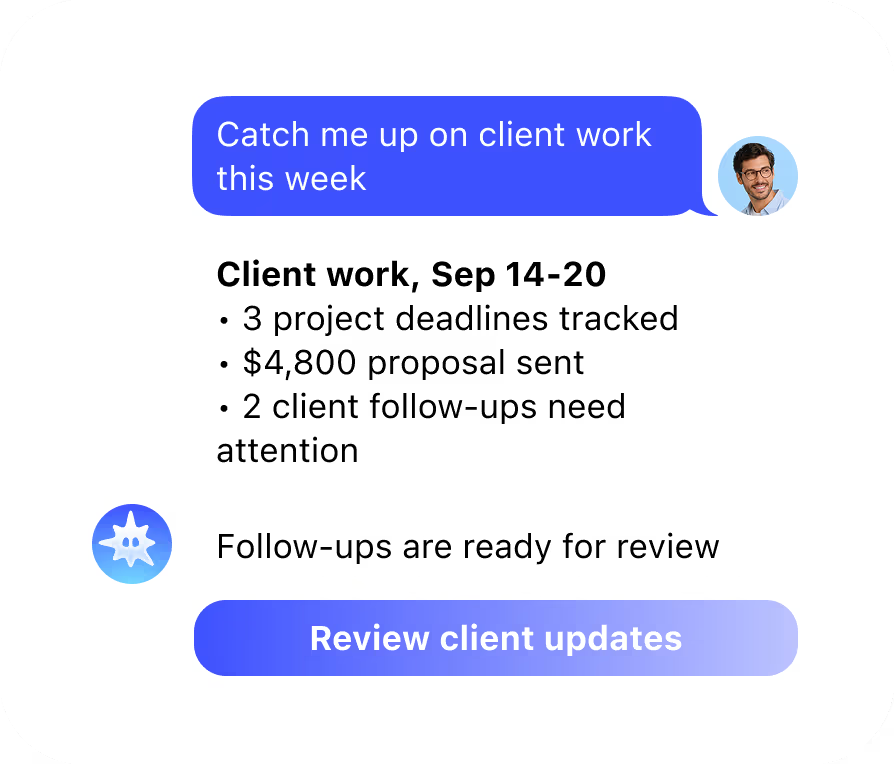
Client requests arrive by email, calls turn into action items, and deadlines live in different places. When you are managing several projects alone, it is easy for an important reply or next step to slip.

HOW IT WORKS

Get from brief to first draft faster

1
Draft

Start the day knowing what moved

Send Mira a client brief, a voice note, or a rough idea. Get a starting point for a proposal, project outline, client email, or deliverable. Tell Mira how you write, then refine the result until it sounds like you.
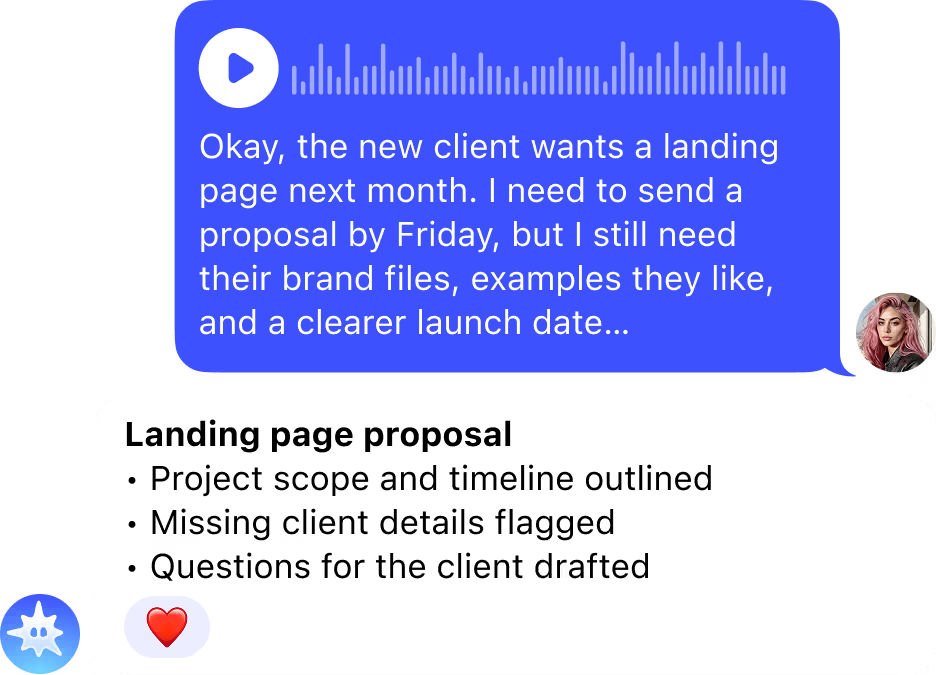
  • ✦ Proposals and outlines: Turn project details into a clear first draft.
  • ✦ Client emails: Draft replies, updates, and follow-ups in your voice.
  • ✦ Deliverable drafts: Get past the blank page and start shaping the work.
  • ✦ Rewrites on demand: Sharpen, shorten, or change the tone of existing text.
2
Research

Get up to speed without losing the morning

Ask Mira to research a client, topic, or market and bring the useful findings into one message. Start with a focused summary instead of a long list of open tabs.
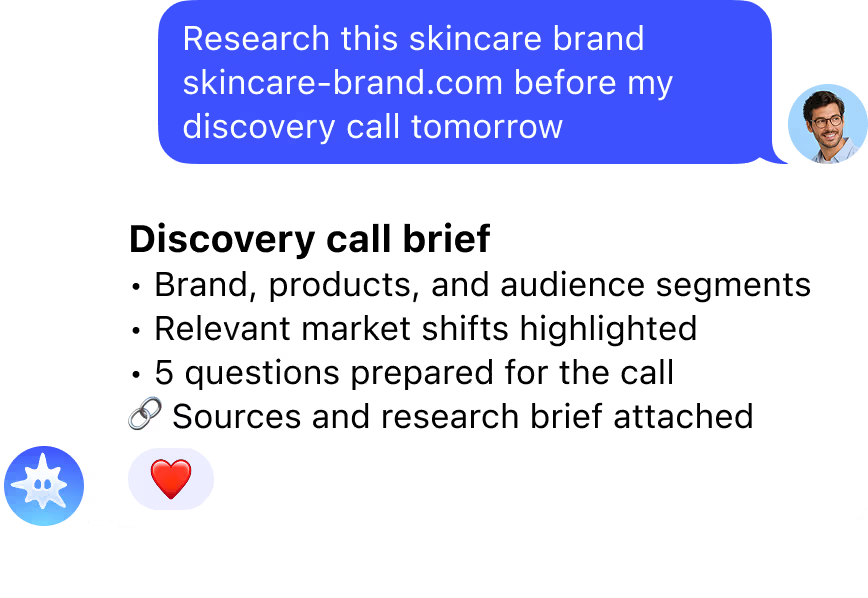
  • ✦ Client research: Gather relevant background before a call or proposal.
  • ✦ Market signals: See what is changing in a client’s industry.
  • ✦ Source summaries: Turn scattered information into useful takeaways.
  • ✦ Research briefs: Get a concise starting point for your next project.
3
Operations

Keep every client commitment in view

Set reminders for deadlines, meetings, and follow-ups in one message. Connect Gmail and Calendar to see what is due, which messages need a response, and what to work on next.
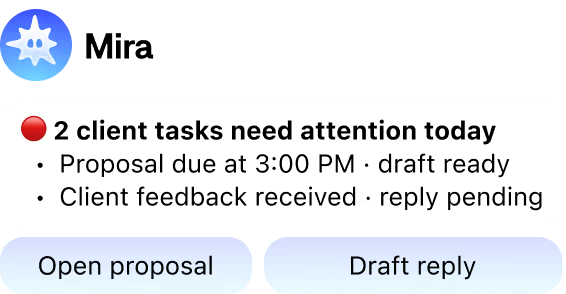

  • ✦ Deadline reminders: Deadline reminders: Set them once and get a prompt when it matters.
  • ✦ Daily brief: See meetings, replies, and priorities in one place.
  • ✦ Client follow-ups: Remember to check in after proposals and calls.
  • ✦ Task visibility: Keep open work in view without switching tabs.

Still have questions? Just ask Mira

The fastest way to understand what Mira can do is to try it. Open the app - it takes 10 seconds.
Message Mira
  • Zero setup
  • No credit card
  • Works in your messenger
INTEGRATIONS

Connect the tools behind your business

Mira connects to your email, calendar, documents, and task manager. Draft work, research projects, set reminders, and keep client commitments visible from one chat, with 1,000+ tools available to connect.
+1000 more
Google AanalyticsAhrefs
Google SheetsAmplitude
Google AdsSlackMeta
TikTokHubspot
LinkedIn KVYO
Google AanalyticsSlackGoogle AdsMetaGoogle SheetsTikTokAmplitudeHubspot
AhrefsLinkedIn KVYO

Ready to connect your stack?

OTHER SOLUTIONS

Mira works for everyrole on your team

Same agent, different stack. Marketing gets Google Ads and HubSpot, engineering gets GitHub, finance gets Stripe. Everyone works from the chat they're already in
  • Founders & CEOs

    Business overview
  • Developers

    GitHub, CI/CD, deploys
  • Sales Teams

    CRM & pipeline
  • Creators

    Content & monetisation
  • Traders & Web3

    Binance, Bybit, DeFi
  • Project Managers

    Jira, Linear, Notion
  • Finance & Accounting

    Stripe, QuickBooks
  • HR & Recruiting

    Onboarding & hiring

FAQ

  • What are the best AI tools for freelancers in 2026?

    The best AI tool for freelancers depends on the job. For proposals and contracts: Bonsai. For invoicing: QuickBooks or Wave. For writing: Grammarly or ChatGPT. For a single assistant that handles proposals, contracts, invoicing, client emails and project tracking from your messenger without opening separate tools: Mira. It connects to Gmail, Google Calendar and Notion and works from one chat with no per-seat fee and a permanent free tier.
  • Can Mira write proposals for freelancers?

    Yes. Describe the client, the project scope and your rate, and Mira drafts a full proposal including executive summary, scope of work, deliverables, timeline and pricing in minutes. You review and send without switching tabs. Mira also remembers your standard rates, preferred formats and client conventions across sessions, so repeat clients get consistent proposals without re-briefing.
  • How does Mira help freelancers with invoicing and payments?

    Mira tracks project milestones, sets invoice reminders and drafts follow-up messages when a payment is overdue. Connect it to your calendar and project notes and it monitors deadlines automatically. For the actual invoice document, connect Mira to your invoicing tool of choice and it can trigger the invoice creation from a chat message when a milestone is complete.
  • Can Mira manage client communication for freelancers?

    Yes. Mira drafts client update emails, follow-up messages and project kickoff confirmations from your messenger. It remembers the client context, project status and communication tone across conversations, so you can ask it to write a progress update for a specific client and it pulls the relevant context without you re-explaining. Connect it to Gmail and emails go out directly from the chat.
  • Is Mira free for freelancers?

    Yes. Mira has a permanent free tier with no card required that includes proposal drafting, contract review, client email assistance and project reminders. The free tier is sufficient for solo freelancers handling a small number of active clients. Pro from $27 per month raises usage limits and adds more automation for freelancers managing multiple simultaneous projects.

Still have questions? Just ask Mira

The fastest way to understand what Mira can do is to try it. Open the app - it takes 10 seconds.
Message Mira
  • Zero setup
  • No credit card
  • Works in your messenger