AI Knowledge Assistant: Find Answers in Your Company Documents
The answer you need usually exists already. It's in a Google Doc from March, a Notion page nobody linked, or a thread that scrolled out of sight weeks ago. Finding it often takes longer than the task it's for.
An AI knowledge assistant answers questions in plain language using your own company documents, and shows you where each answer came from. Here's what these assistants do, how they find answers, where they fall short, and how to set one up in a couple of clicks.
What is an AI knowledge assistant?
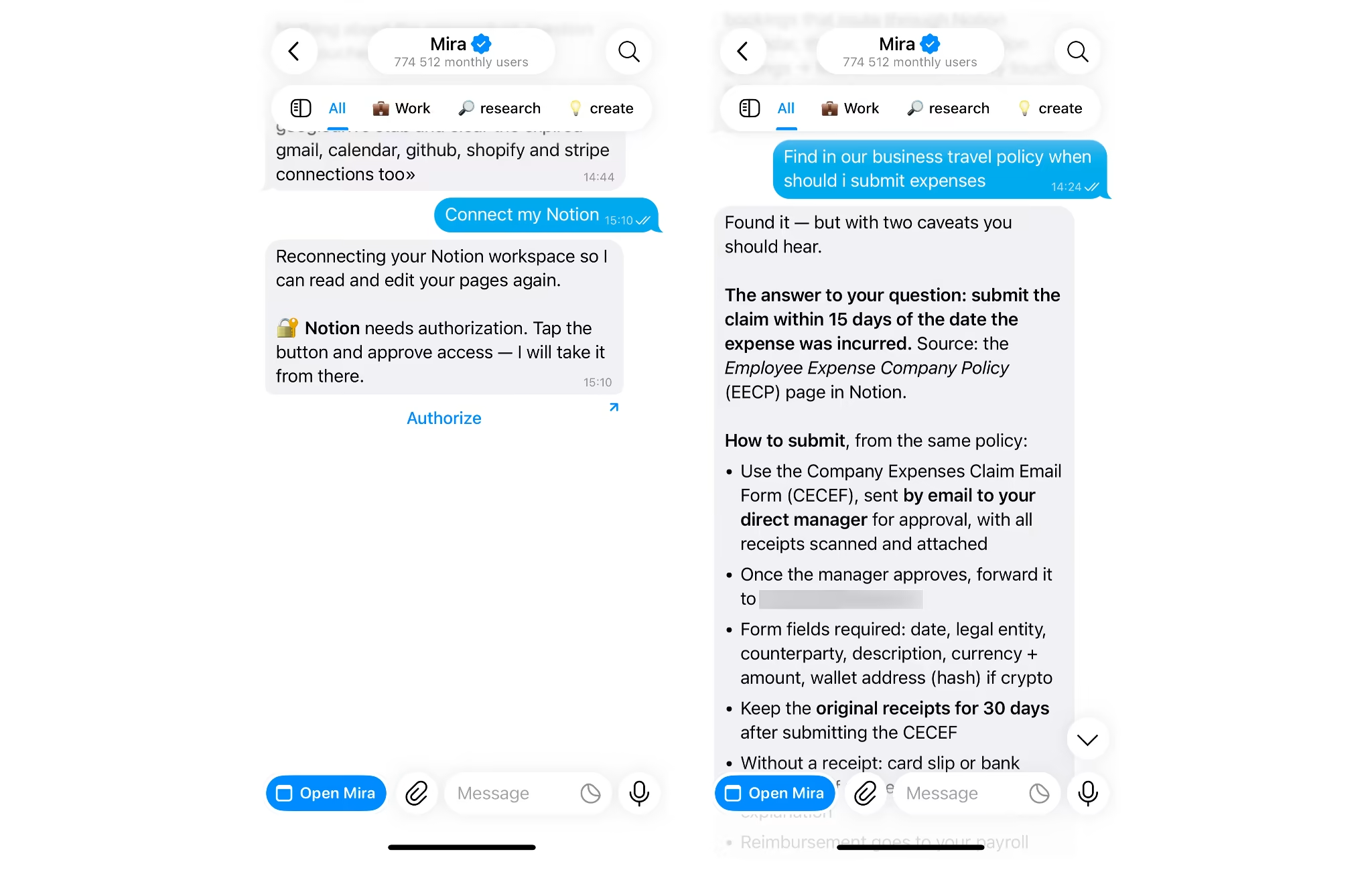
An AI knowledge assistant is a tool that reads your internal documents, wikis and files, then answers questions about them in plain language with a link to the source. You ask "what's our refund window for annual plans?" and get the answer, not a list of 14 files that mention refunds.
Three things separate AI knowledge assistant from a general chatbot:
- Your files, not the web: Answers come from documents you control, not from the model's training data.
- A source on every answer: You get a link back to the document so you can check it.
- Permission limits: It only reads what the person asking is allowed to open.
Knowledge base vs knowledge assistant
A knowledge base stores information. A knowledge assistant reads it for you.
| Knowledge base | Knowledge assistant | |
|---|---|---|
| What it is | A collection of articles, docs and pages | An AI layer that reads those sources |
| What you type | Keywords | A full question |
| What you get back | Knowledge base search returns a list of pages | One answer with the source linked |
| Who does the reading | You | The assistant |
You need both. The assistant is only as useful as the documents behind it.
How an AI knowledge assistant finds answers in company documents
It works in four steps: connect your sources, find the relevant passages, write the answer, and show the source.
- Connect your sources: Google Drive, Notion, Confluence, Gmail, Slack, or a PDF you upload. Each connection gives the assistant read access to that app.
- Find the relevant passages: This is where AI document search does its work: semantic search matches the meaning of your question, not just its exact words. "Time off after having a baby" finds the parental leave policy.
- Write the answer: The model summarizes only what those passages say. This method is called retrieval-augmented generation, or RAG.
- Show the source: A link back to the document lets you confirm the answer in seconds.
One rule sits on top of all four steps. The assistant should never surface a document that the person asking can't open themselves.
That's the whole mechanism. Everything else is about doing each step more accurately.
How does AI improve search accuracy in internal knowledge systems?
AI improves accuracy by matching meaning instead of exact words, pairing that with keyword matching, and ranking the best passage first before it writes anything. Traditional knowledge base search breaks on simple things: a synonym, an acronym, or a question phrased differently from the doc title.
- Meaning over exact words: "Family leave" and "parental leave policy" are treated as the same request.
- Hybrid search: Keyword matching catches exact terms like product codes, contract numbers and names, while semantic matching catches intent. Research on enterprise retrieval systems puts the precision gain from hybrid search plus reranking at 15 to 30 percent.
- Reranking: After the first pass, a second model reorders the results so the most relevant passage sits at the top.
- Context about you: An assistant that knows your role and current projects can narrow "what's the deadline?" to the right one.
None of this fixes bad documents. If your wiki holds three versions of the travel policy, the assistant can quote the wrong one with full confidence.
Accuracy starts with the docs, not the model.
What questions can it answer?
You can ask anything whose answer is written down in a source you've connected. Five jobs come up again and again:
- Policy lookup: "What's our refund policy for annual plans?" returns the clause and the doc it lives in.
- Onboarding: "Summarize the onboarding doc and list what I need to set up in week one" returns a checklist.
- Meeting decisions: "What did we decide about the pricing page last week?" pulls the line from the meeting notes.
- Template-based replies: "Draft a reply to this client using the terms in our contract template" gives you a draft that matches what you've already agreed to.
- Spreadsheet questions: "Which accounts in the Q3 sheet haven't renewed?" reads the sheet and returns the list.
The pattern is always the same. A full question goes in, and one answer with a source comes out.
Using Mira as an AI knowledge assistant
Mira is an AI agent that lives in your messenger and answers questions from the apps you connect to it. You ask in a chat, Mira reads the relevant files, and the answer arrives in the same chat.
Ask across Google Drive, Notion and more in one chat
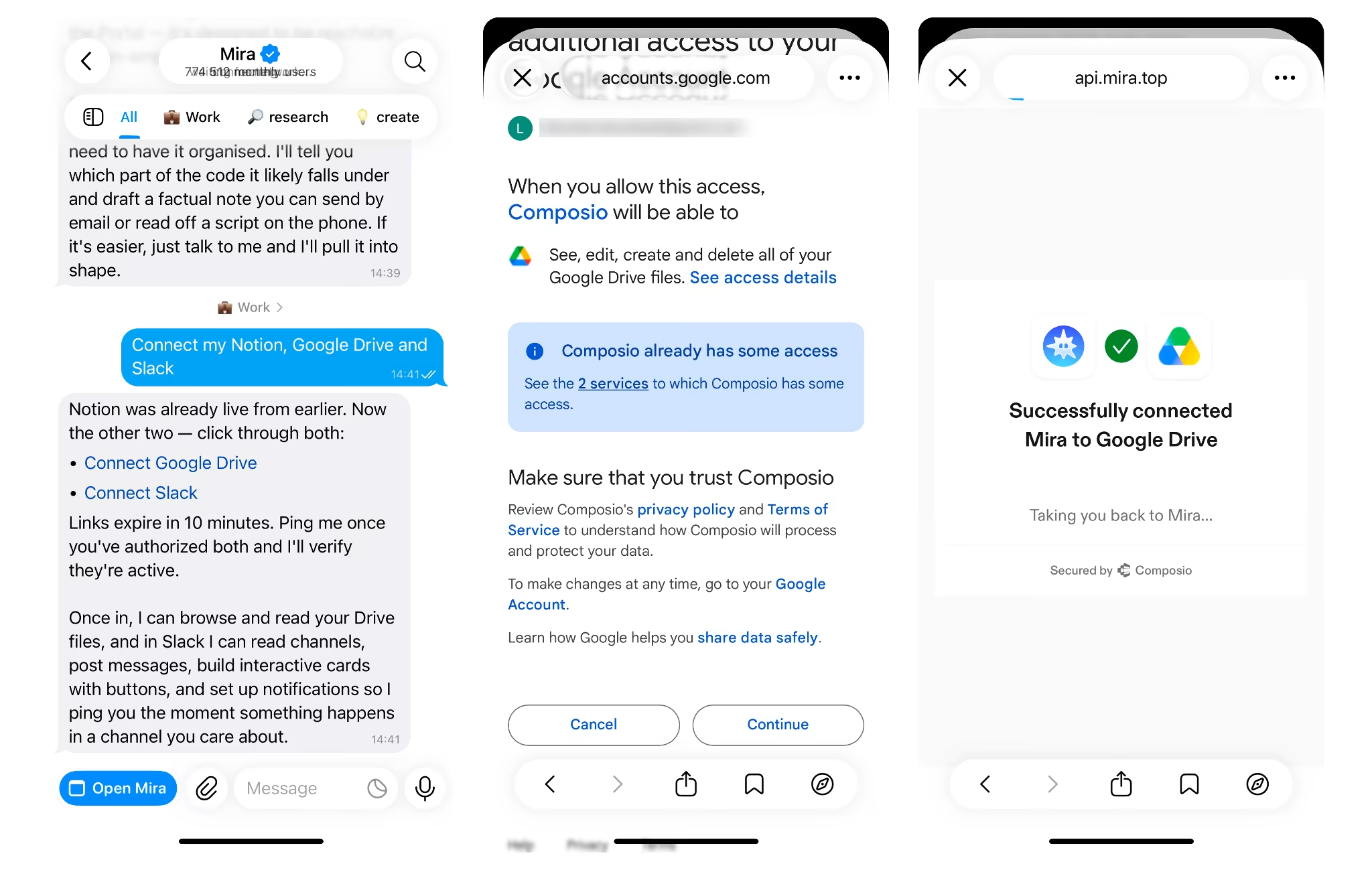
Mira connects to 1,000+ apps, including Google Drive, Notion, Gmail and Google Sheets. Connecting one takes a single message. To set up the Google Drive integration, type "Connect my Google Drive," follow the sign-in link, and you're set. There's no admin console and no company-wide rollout.
🟢 Copy this prompt into Mira
Upload a file and ask about it
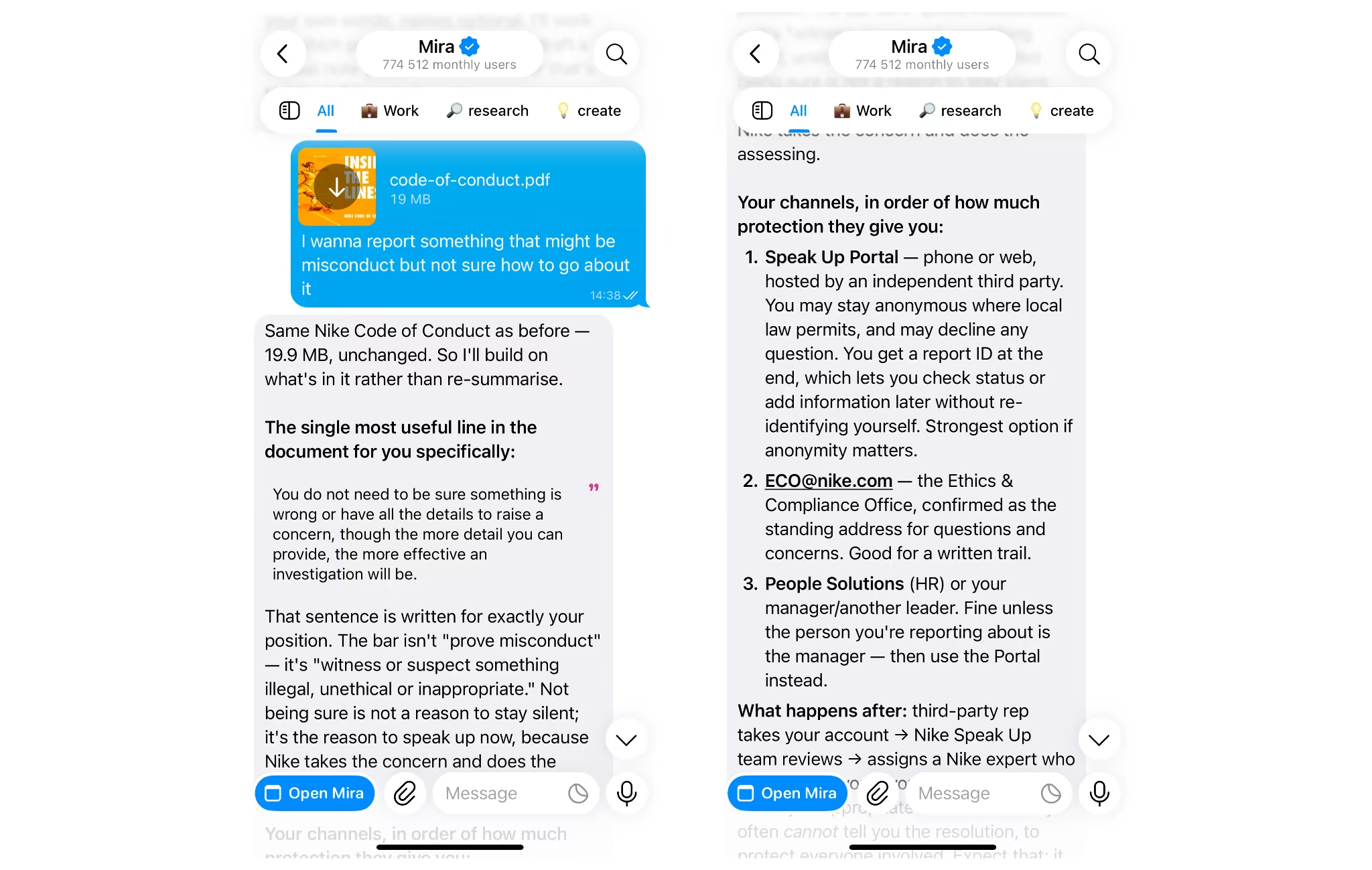
You can also drop a PDF or spreadsheet into the chat and ask about it directly. "Analyze the file I uploaded" and "turn this table into readable text" are recurring requests from people who use Mira for product and project work.
Bring answers into a group chat
Add Mira to a team chat, and anyone in it can ask questions there. Mira summarizes long threads, pulls out action items and keeps track of decisions. Memory is shared in group chats and stays private in direct messages.
Act on the answer
Finding the answer is often half the job. Mira can turn it into an email draft, a reminder, or a weekly summary that arrives on a schedule. Anything that sends or changes something waits for your approval first. For project updates and follow-ups, see how Mira uses AI for project managers.
Mira defaults to GPT-4o and routes across 10+ models. For sensitive questions, Private Mode processes requests inside a trusted execution environment on a separate confidential computing network.
Where dedicated enterprise tools are stronger
Mira isn't built to index an entire company drive or sync permissions for thousands of employees. Enterprise platforms do that, along with admin dashboards and usage analytics.
Mira fits individuals and small teams who want answers from their own apps today, without a procurement cycle.
How to sync internal wikis with an AI knowledge assistant
Connect the wiki, test it with real questions, and clean up outdated pages before you rely on it. Five steps get you there:
- Start with repeat questions: List the 10 questions people ask most often in a typical week.
- Pick the sources that answer them: One wiki and one Drive folder is enough to start. Connecting everything on day one mostly adds noise.
- Archive what's outdated: Old versions get quoted as confidently as current ones.
- Connect and test: Ask all 10 questions and open every source link. In @mira, the Notion integration starts with one message: "Connect my Notion."
- Give every source an owner: Someone has to keep each doc current, or the answers drift out of date.
Some tools index your wiki on a schedule. Others read the page when you ask. Either way, an answer is only as fresh as the page behind it.
What are the limits?
Three limits matter most: wrong answers from bad documents, access control, and privacy.
- Stale answers: The assistant repeats what your documents say, including what's out of date. Open the source link on anything important.
- Access control: Check that the tool only reads what each person can already open. A good assistant inherits permissions from the source app.
- Privacy: Find out where your files are processed and whether they're used to train models.
Check the source, check the permissions, check the privacy terms. That covers most of the risk.
Start with one question
An assistant like this earns its place the second time someone asks the same question. You don't need a rollout to test that.
Open Mira in Telegram, connect Google Drive or Notion, and ask the last question you had to dig for. If the answer and its source come back in one message, you've found your assistant.