AI Personal Shopper: How to Compare Products Before You Buy

Twelve open tabs. Three pairs of headphones that look identical on paper. Reviews that contradict each other, and a "40% off" badge that may or may not mean anything. Comparing products has turned into unpaid research work.
An AI personal shopper turns that pile into a shortlist, a side-by-side comparison and a clear trade-off, in one conversation. You describe what you need in plain language. It does the sorting.
Here's how it works and how to use one well on your next purchase.
What is an AI personal shopper?
An AI personal shopper is an AI tool that takes a plain-language description of what you need and returns tailored product recommendations, comparisons and trade-offs. It does the job of a human personal shopper (figuring out what fits you and why) without the commission or the appointment.
You'll also see the term AI shopping assistant. It means the same thing, with one catch: retailers use "shopping assistant" for the chat widget on their own site, and that widget only recommends from its own catalog. A personal tool works for you across stores.
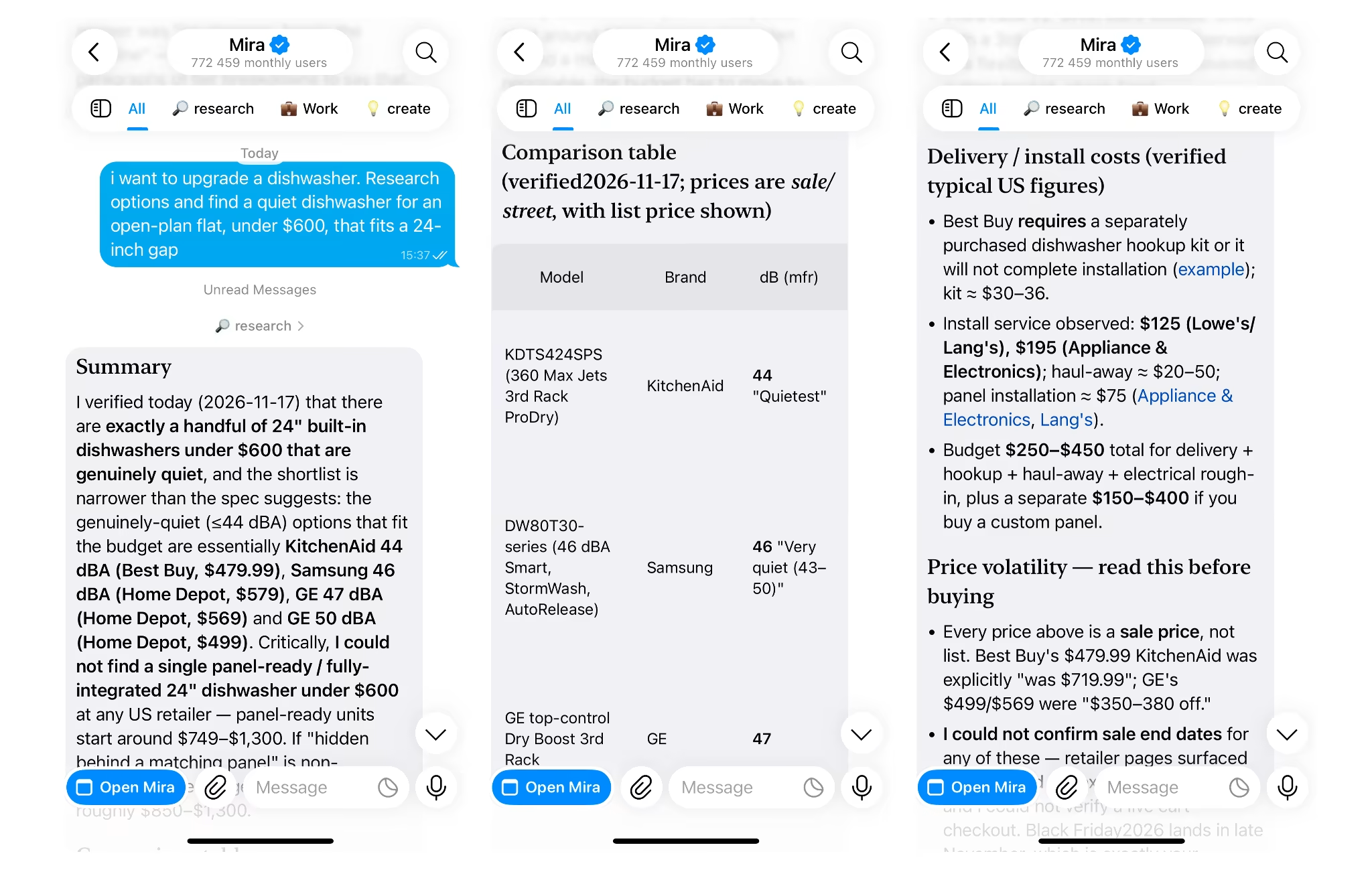
The real difference from filters is intent. A filter sorts by price and rating. An AI personal shopper understands "a quiet dishwasher for an open-plan flat, under $600, that fits a 24-inch gap" and asks a follow-up question when something's missing.
Filters narrow a list. A personal shopper narrows a decision.
How do AI shopping assistants work?
AI shopping assistants turn your description into criteria, then check products against those criteria using specs, listings and reviews. Most conversations follow these four steps:
- Reads the brief: It pulls budget, use case and constraints out of plain language, including the ones you mention in passing.
- Gathers product details: It collects specs, listing information and review content for the options that fit.
- Summarizes reviews: It condenses hundreds of reviews into recurring praise and recurring complaints.
- Ranks and explains: It orders the options against your criteria and says why each one made the cut.
The weak spot is memory. Most AI tools treat every chat as new, so you restate your budget, sizes and brands to avoid each time. Mira AI agent keeps what you tell it across conversations, so the next comparison starts with your preferences already in place.
Some assistants now go a step further and act: they set reminders, track a price or add an item to a cart. That's useful, as long as the final purchase remains your decision.
Why use AI for shopping decisions?
AI shopping takes over the slowest part of buying: reading, cross-checking and holding a dozen specs in your head. That's where most of the time goes, and it's the part AI handles well.
The shift is from browsing to describing. Instead of clicking through listings and building a comparison table in your head, you state what matters and get the table back.
What AI shopping doesn't replace is judgment. AI can work from an outdated listing, miss a product revision or weigh a spec you don't care about. You still make the call, and you still check the seller's page before you pay.
Let AI do the sorting. Keep the deciding.
How to use AI for shopping: a 6-step method to compare products
The method is six steps: write a brief, get a shortlist, compare side by side, pressure-test with reviews, check the price and timing, then verify on the seller's page. Each step comes with a prompt you can copy.
1. Write a shopping brief
A shopping brief is a short description of your budget, use case, must-haves and dealbreakers. It determines how useful each follow-up answer will be. Vague in, generic out.
Cover six things:
- Budget range: A ceiling, plus the price where you'd stop and think.
- Main use: What you'll actually do with it, and how often.
- Must-haves: The two or three features you won't compromise on.
- Nice-to-haves: Features that break a tie but don't decide it.
- Dealbreakers: Anything that rules a product out on sight.
- Deadline: When you need it, which affects shipping and sale timing.
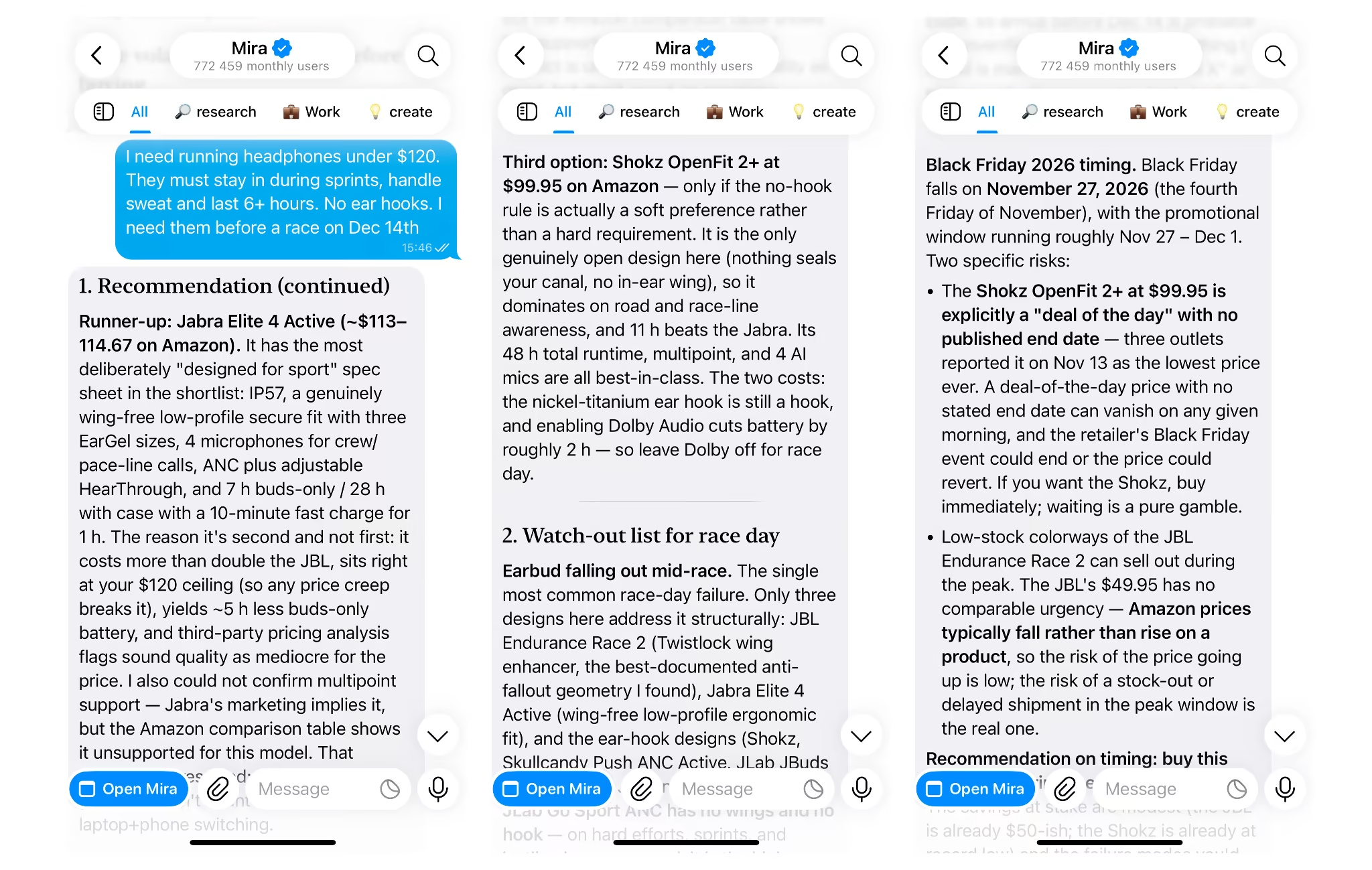
🟢 Prompt example
With Mira, you can send the brief as a voice message from the store aisle. Mira turns it into text and keeps the constraints for every follow-up question.
2. Ask for a shortlist of 3 to 5 options
Ask for three to five options, each with a one-line reason it made the cut. More than five and you're back to scrolling.
A useful pattern is one budget pick, one or two mid-range and one premium. That shows you what the extra money actually buys.
Then ask what got left out and why. That one question surfaces hidden assumptions, like a brand it skipped or a spec it weighted more than you would.
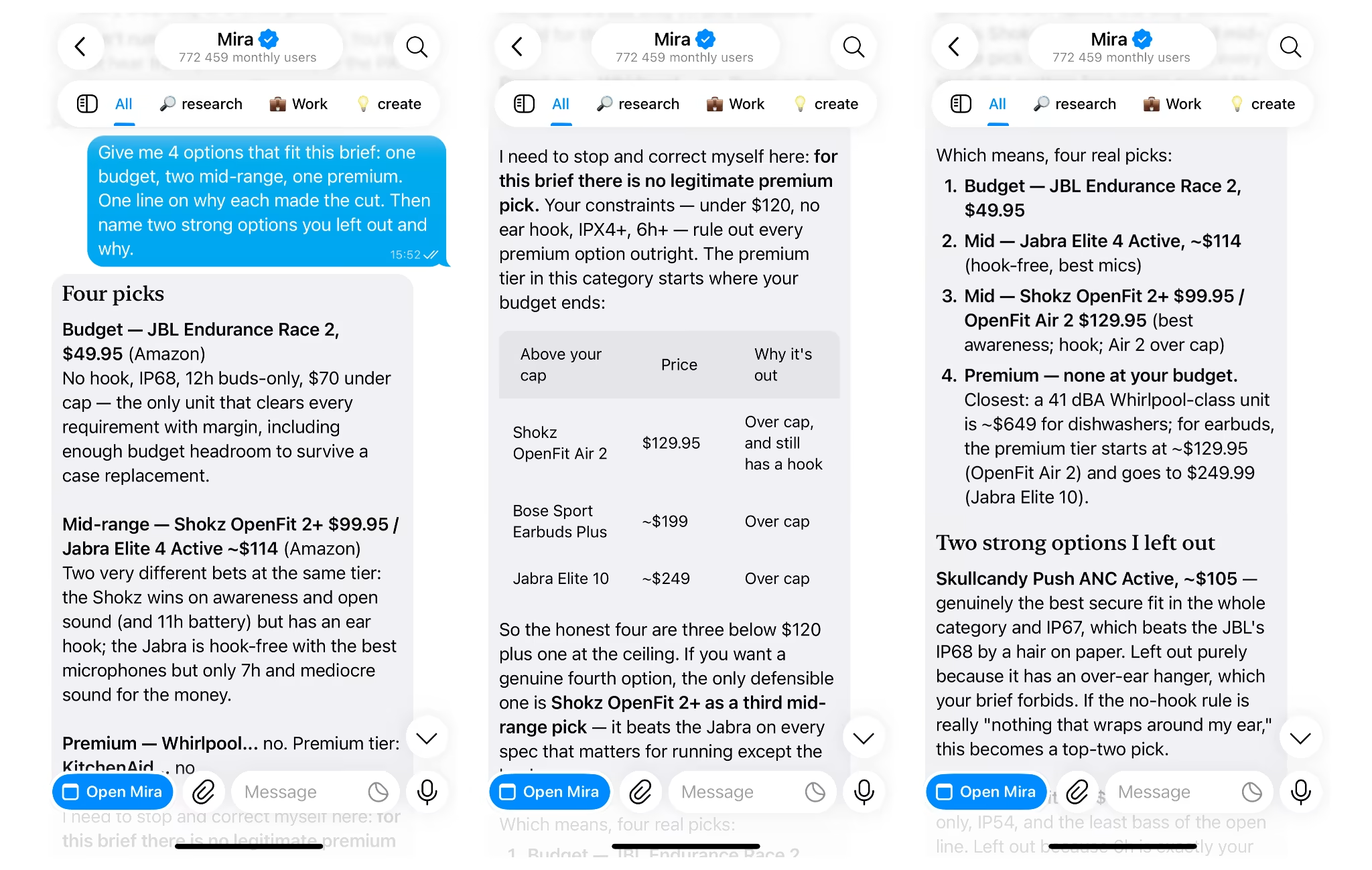
🟢 Prompt example
3. Compare products side by side
The simplest way to compare products before buying is a table built on your criteria only, not every spec on the box. Five rows that matter beat twenty that don't.
Add total cost as its own row: shipping, accessories, subscriptions and replacement parts. A cheap printer with expensive ink isn't cheap.
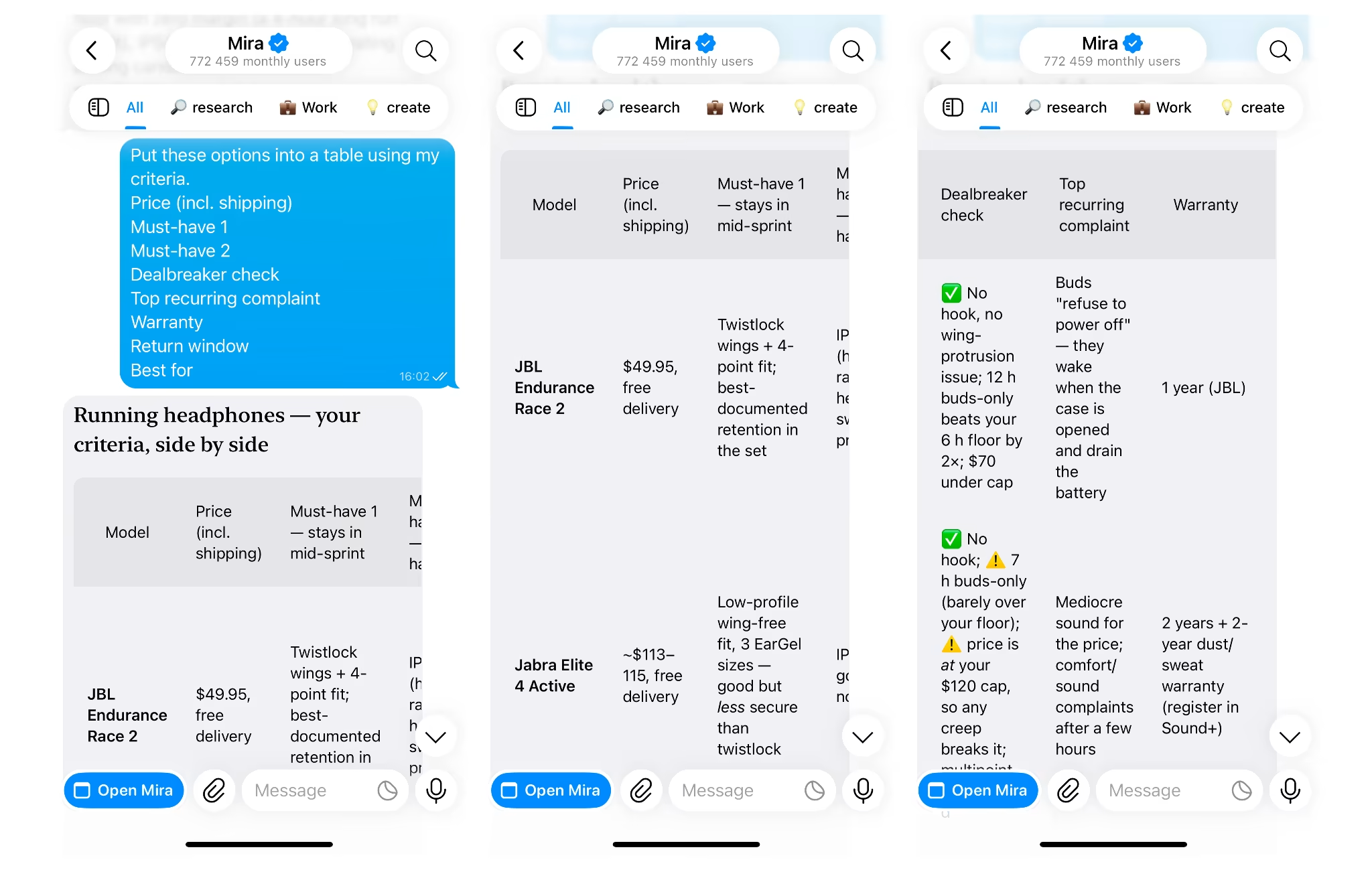
🟢 Prompt example
Want to keep the comparison beyond the chat? Ask Mira to put the table into a Google Sheet. It asks for your approval before writing anything, and you can ask it to update the sheet as options change.
4. Pressure-test with reviews
Ask for recurring complaints, not average star ratings. A 4.6 average can hide the one problem that matters to you, like a hinge that cracks after six months.
Three questions do most of the work:
- What do 1 and 2 star reviews share? Patterns in bad reviews tell you more than the average.
- Did complaints change over time? A firmware fix or a cheaper revision often shows up as a shift after a specific month.
- Is the praise specific? "Battery lasts a full workday" is useful. "Great product!!" is not.
Watch for signs of fake reviews: bursts of short 5-star reviews in the same week, generic wording and no detail about real use.
🟢 Prompt example
5. Check the price and timing
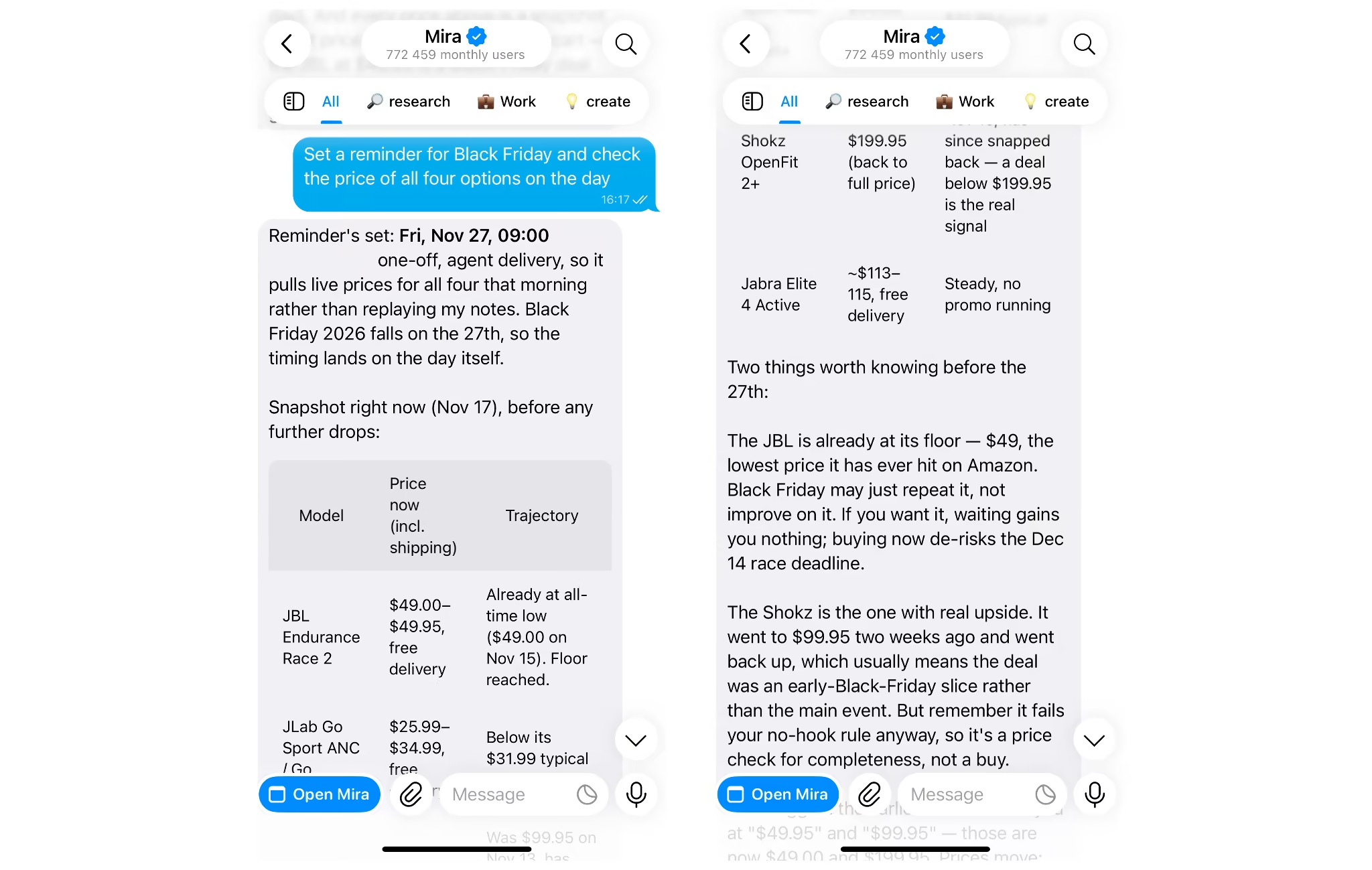
A discount is only real if the price is below what the product usually sells for. "Was $199" means little if it's sat at $129 for most of the year.
Ask about the category's sale seasons and typical price range, then set a target price instead of buying at the first "deal." This is where AI price comparison earns its keep: comparing the same item across stores on total cost and return terms, not just the sticker. Dedicated price trackers still go deeper on price history over months, so use one alongside if timing matters.
🟢 Prompt example
In Mira, set a reminder to recheck before a sale date. When it fires, send the current price and Mira checks it against your target and your comparison.
6. Verify, then decide
Before paying, confirm price, stock, warranty, return window and seller on the retailer's own page. That page is the source of truth. AI can work from an outdated listing.
For anything above a set amount, wait a day. If it still makes sense tomorrow, buy it.
Ready-to-use prompts for AI product comparison
These six prompts cover most purchases. Replace the brackets and paste.
- Brief to shortlist: "My budget is [X], I'll use it for [Y], it must have [Z] and can't have [W]. Give me 3 to 5 options with one reason each."
- A vs B: "Compare [Product A] and [Product B] for [specific use]. What are the meaningful differences, and who is each one best for?"
- Review test: "What are the top three recurring complaints about [product], and do any of them affect [my use]?"
- Price check: "Is [price] a good price for [product]? What does it usually sell for, and should I wait?"
- Regret check: "Based on my brief, what would make me regret buying [product] in six months?"
- Gift version: "Gift for [person], budget [X]. They like [A], already own [B]. Give me 4 ideas they're unlikely to have."
The regret check is the one most people skip. It's also the one that catches the most bad buys.
Comparing together: shared purchases in group chats
Shared purchases get decided across scattered messages, links and opinions, and an AI shopping assistant in the group chat can pull all of it into one comparison. A sofa, a family laptop, a holiday rental, new gear for the team: the decision usually lives in a thread where links get buried and nobody remembers who wanted what.
Mira works inside Telegram group chats. Add it to the chat, let everyone drop links and opinions, then ask Mira to:
- Summarize the options: Every product mentioned, with its link and who suggested it.
- List each person's must-haves: The comparison reflects the whole group, not just the loudest member.
- Build one comparison: A single table on the criteria the group agreed on.
- Flag disagreements: Where preferences conflict, so you can settle them directly.
Then set a reminder for the decision date. The thread ends with a choice instead of a stalled conversation.
Types of AI personal shoppers
There are four main types, and each one is strong at a different part of the decision.
| Type | Good at | Limits |
|---|---|---|
| General AI assistants | Open-ended research in any category | Usually forget preferences between sessions |
| Store-built assistants | Live stock and prices in one catalog | Only compare inside that store |
| Price trackers and comparison apps | Price history and alerts | Little help with fit, specs or trade-offs |
| Messenger-based AI agents, like Mira | Memory, follow-ups, group decisions, connected apps | You still verify price and stock on the seller's page |
Mira (@mira) is a Telegram-native AI agent, so there's no new app to install. It remembers your preferences, works in private and group chats, and connects to 1,000+ apps, including Google Sheets for comparison tables, Notion for wish lists and Gmail for order confirmations. Anything that writes or sends needs your approval first.
The other types have real strengths too. If you only buy from one store, its built-in assistant sees live stock that outside tools can't. If price history is all you need, a dedicated tracker goes deeper.
Pick the type that matches where your decision gets stuck.
Shop with an AI personal shopper that keeps the thread
The method fits in one line: brief, shortlist, compare, pressure-test, check the price, verify. Any decent AI shopping tool can run it once.
What turns a one-off answer into a personal shopper is continuity. Mira keeps your preferences between conversations, follows up when you ask it to and brings group decisions into one place, all inside the messenger you already use.