Telegram AI Image Generator: Generate with NanoBanano, GPT, and more
A Telegram AI image generator lets you create images from a text prompt without leaving the app. Describe what you need in a chat, and an AI model generates the image in the same thread, ready to post, forward, or refine.
The bigger change is that image generation is becoming part of the workflow rather than a separate creative task. Instead of opening a dedicated AI image tool every time you need a visual, you can generate product images, social posts, ads, illustrations, avatars, and other assets directly where the rest of the work happens.
This guide explains how AI image generation in Telegram works, which models are best for different types of images, how to write prompts that produce better results, what image generation costs, and how to build it into a content workflow that stays inside Telegram.
How a Telegram AI image generator works
You send a text prompt, the model generates the image, and the result comes back to the same Telegram chat as a standard image file. Generation usually takes a few seconds, depending on the model, prompt, and resolution.
The prompt tells the model what to create: the subject, style, composition, mood, and other details. This is text-to-image: you describe the visual in words, and the model turns that description into an image.
What makes an in-Telegram generator different from a standalone tool is context. It works inside the same conversation as your brief, brand guidelines, and feedback, so you can generate and refine images without moving files between a chat and a separate creative app.
What the AI Bot Revolution enabled
Telegram's AI Bot Revolution update expanded what AI tools can do inside the messenger, image generation included. Guest AI Bots, deeper group permissions, and bot-to-bot communication built the infrastructure for generation to work not just in personal chats but in group workflows where a whole team can shape visual content without anyone leaving the conversation.
What you can generate inside Telegram
You can create most of the same visuals you would make with a standalone AI image generator, but without leaving Telegram:
- Social media visuals: Generate posts, stories, covers, and other assets by specifying the platform, dimensions, subject, and style. Keep each brand in a dedicated chat so its visual guidelines stay in context.
- Product mockups and concept visuals: Quickly turn ideas into mockups, UI concepts, feature illustrations, or pitch-deck visuals without moving the discussion to another tool.
- Blog and article images: Create header images and in-article visuals in the same thread where you develop the content and brief.
- Ad creatives and campaign visuals: Generate multiple concepts, share them with the team, collect feedback, and refine the strongest versions in the same conversation.
- Personal and creative projects: Make concept art, illustrations, stickers, profile pictures, storyboards, visual ideas for writing, and custom images for gifts or events.
Which AI image model should you use in Telegram?
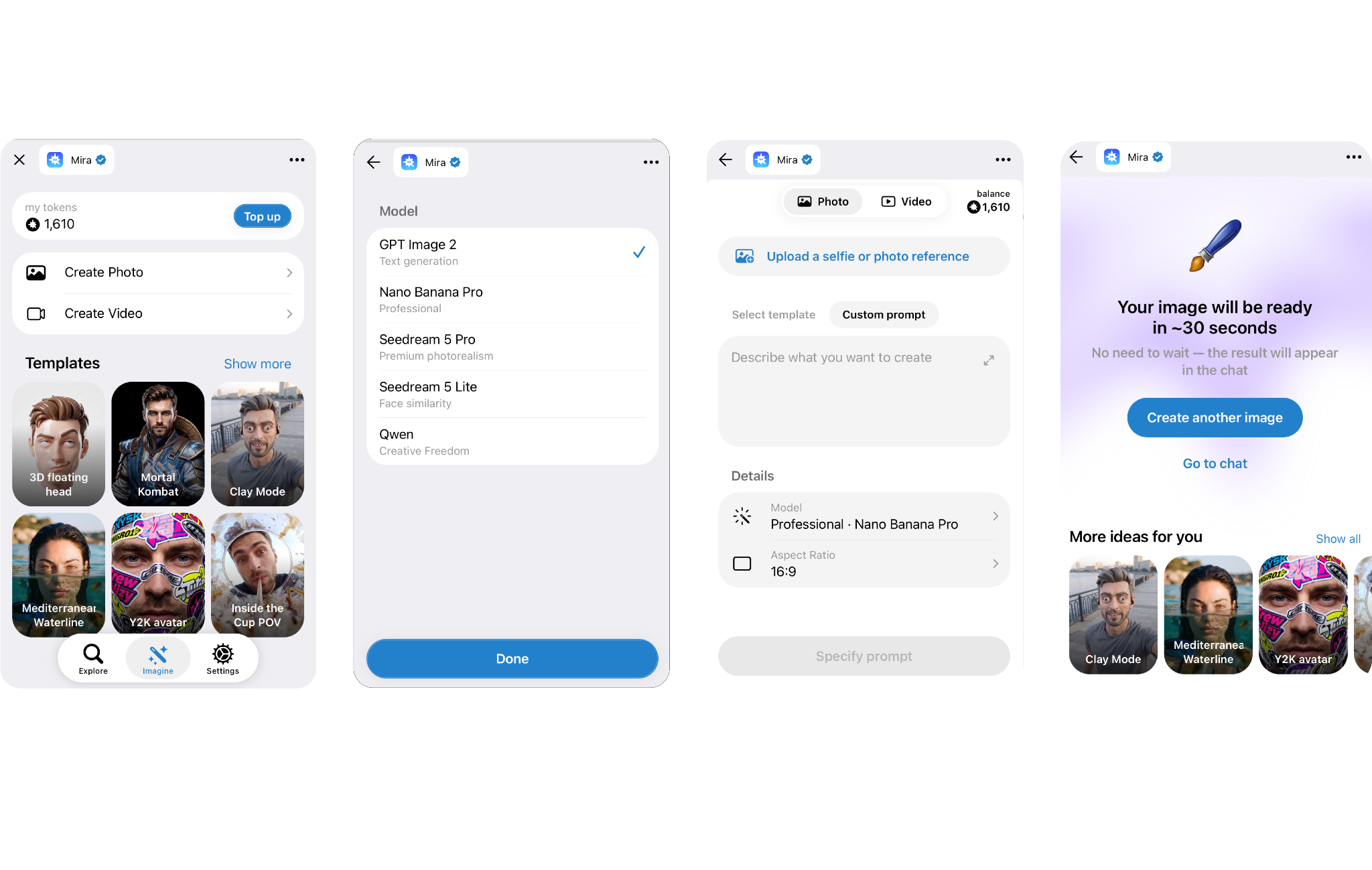
Let’s look at the available models using Mira as an example. Mira is a personal AI agent that works inside Telegram. It supports image, video, and music generation, connects to 1,000+ apps to perform tasks for you, and can work in group chats as a shared agent.
For image generation, it gives you access to five models in the same chat, so you can choose based on what you need or let Mira choose for you.
To choose a model, simply name it in your prompt: “Generate this with Nano Banana Pro” or “Use Seedream 4.5 for a realistic portrait.” If you leave the model out, Mira can select one based on the request.
The simple rule is: GPT Image 2 for text, Seedream 4.5 for faces, and Nano Banana Pro for premium marketing visuals.
🟢 Try it now
Setting size and aspect ratio
You can also specify the format directly in your prompt. Ask for a ratio such as “16:9” or use plain language like “make it a vertical story.”
Editing and analyzing images
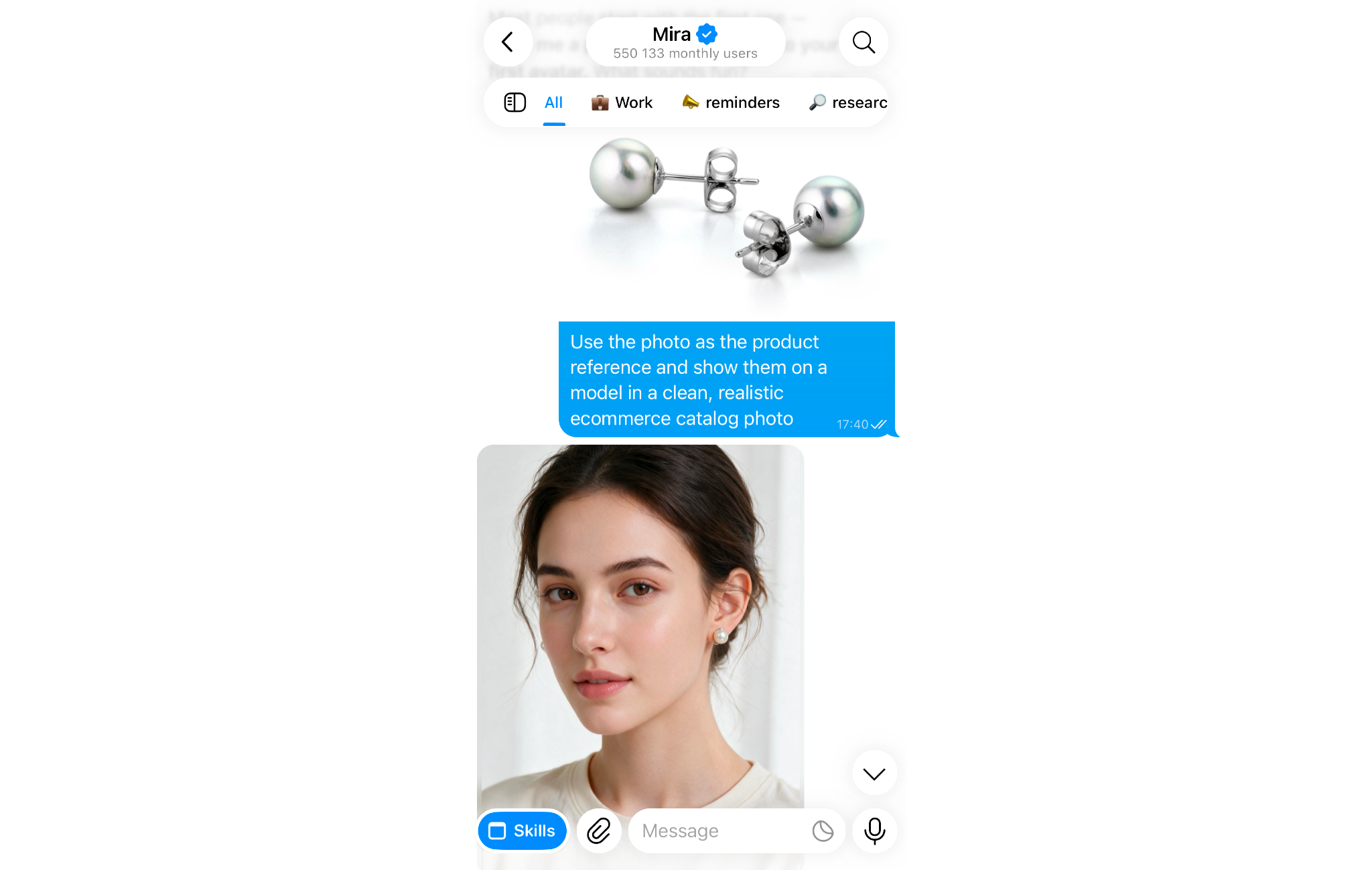
Mira is not limited to text-to-image generation. You can also send it existing images and ask it to edit, combine, compare, or analyze them.
- Edit an image: Upload a photo and describe the change, such as “add a forest background,” “make this anime style,” or “warm up the colors.”
- Combine or compare images: Send multiple images and ask Mira to merge them or compare specific elements.
- Analyze an image: Ask what is shown in a photo, extract information from it, or read visible text.
How to write prompts that produce useful results
Better prompts usually produce better images. A vague request leaves the model to make most of the creative decisions itself. A specific prompt gives it clearer direction and reduces the number of revisions you need.
The five parts of a good image prompt
A useful prompt usually includes five things.
- Subject: what should appear in the image, described as specifically as possible.
- Style: photorealistic, illustration, flat design, watercolor, cinematic, and so on.
- Composition: close-up, wide shot, overhead view, portrait framing, centered subject.
- Mood and lighting: bright and clean, dark and dramatic, warm and natural.
- Technical specs: aspect ratio, resolution, or platform requirements.
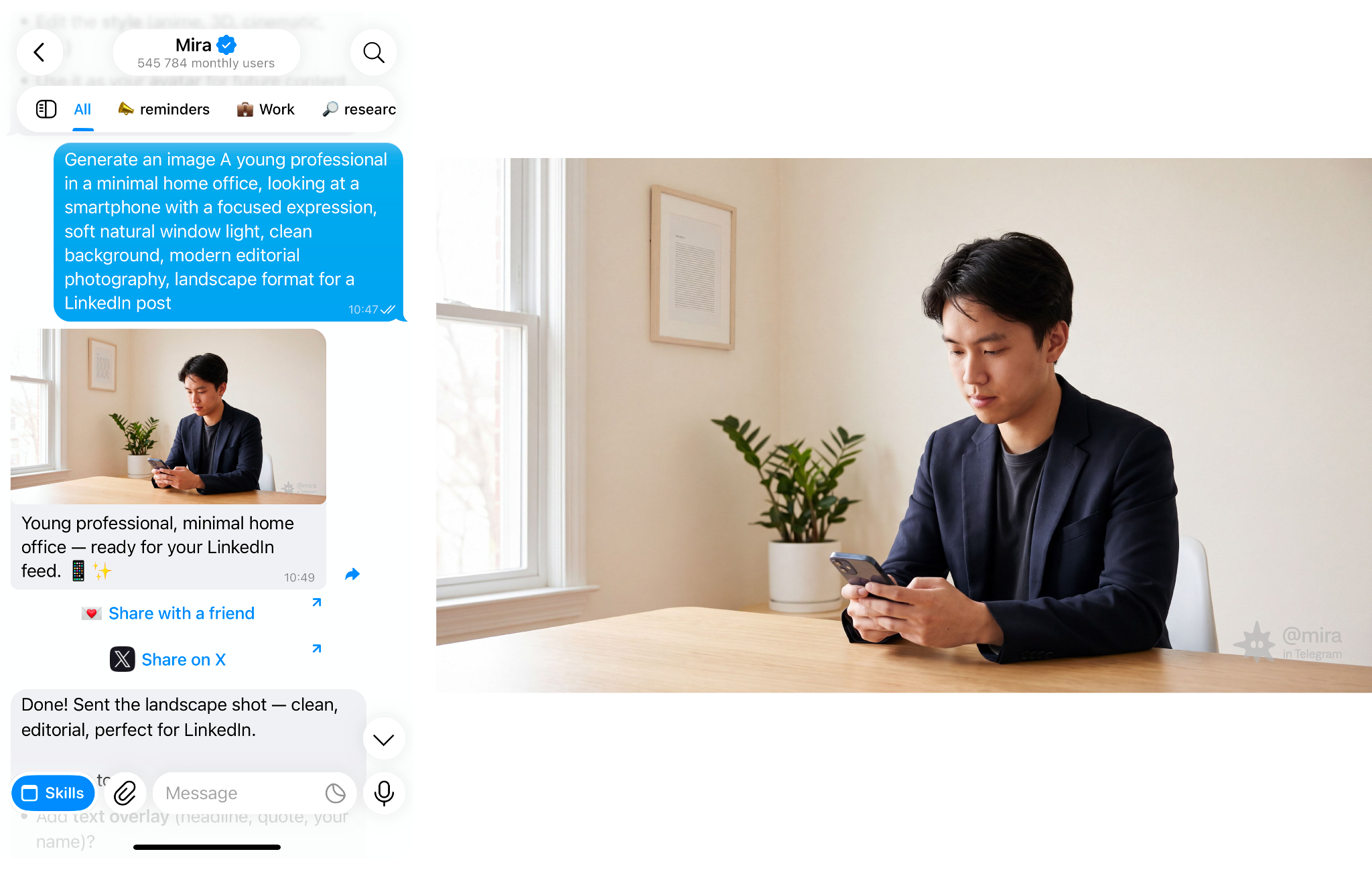
✕ Weak prompt
✓ Stronger prompt
The stronger version gives the model enough information to make more of the right decisions on the first attempt. Choosing the right model helps too: use GPT Image 2 for text-heavy visuals, Seedream 4.5 for realistic faces, and Nano Banana Pro for polished marketing images.
Refine the image in the same chat
If the first result is close, you do not need to rewrite the whole prompt. Continue the conversation with specific changes:
- “Keep the composition, but make the lighting warmer.”
- “Make the background darker and remove the text.”
- “More cinematic, less like a stock photo.”
- “Create a landscape version of the same image.”
Because each revision stays in the same thread, the previous image and instructions remain part of the context.
Save prompts for recurring formats
If you regularly create the same type of visual, save the basic brief and change only the variable parts.
🟢 Prompt example
Instead of rebuilding the prompt every time, replace the subject and refine the result from there. This gives recurring visuals a more consistent starting point and makes image generation faster.
AI image generation in group workflows
In a Telegram group, AI image generation becomes part of the team workflow rather than a separate creative task. Someone describes what they need, the AI generates options, and the group reviews and refines them in the same conversation where the project is already being discussed.
This cuts out much of the usual back-and-forth between tools. There is no need to keep re-uploading files or track feedback across separate apps, and the full history of prompts, revisions, and approved versions stays in one thread.
The biggest advantage comes when image generation is one step in a larger content workflow. For example:
- Discuss the brief in the group chat.
- Draft the copy with AI in the same thread.
- Generate image options.
- Review feedback and make revisions.
- Approve and schedule the final content without leaving Telegram.
Instead of treating image generation as a standalone tool, the group can use it as one connected step in the full content process.
To build that end-to-end: Workflow Automation Guide →
Privacy considerations for AI image generation
Any image you generate is processed server-side by the model rendering it. For personal and general creative work, that's not a concern. For confidential brand assets, unreleased product visuals, or sensitive creative direction, the same privacy considerations that apply to any AI tool apply here.
For how privacy works inside Telegram and what your options are: Telegram Privacy and AI →
How Mira handles image generation
Mira generates and edits images inside your Telegram chats, personal and group alike, across five models, so you're not locked into one look. You describe what you need, Mira renders it, and you refine in the same thread where the rest of your work is happening.
What sets Mira apart from a single-purpose image bot is memory and model choice. Mira remembers your brand guidelines, your preferred styles, and the project you're working on, so a request for "a header image for the post we just drafted" lands in the right context automatically, with no re-briefing.
And because it carries GPT Image 2, Seedream 4.5, Nano Banana Pro and more, text-heavy graphics, realistic portraits, and polished hero shots all come out of one chat.
Mira ranks among the top creative AI apps on OpenRouter: Creative AI on OpenRouter →
Start generating images in Telegram
The gap between "I need a visual" and "I have a visual" used to mean multiple tools фтв multiple steps. Inside Telegram in 2026, it's one prompt away.
Open @mira, describe an image you need for something you're working on right now, and watch the first generation land in under thirty seconds.
Working with a team? Add Mira to your Telegram group and generate visuals everyone can see and refine in the same thread.