What Is an AI Employee? Roles, Real Examples & How to Hire One in 2026
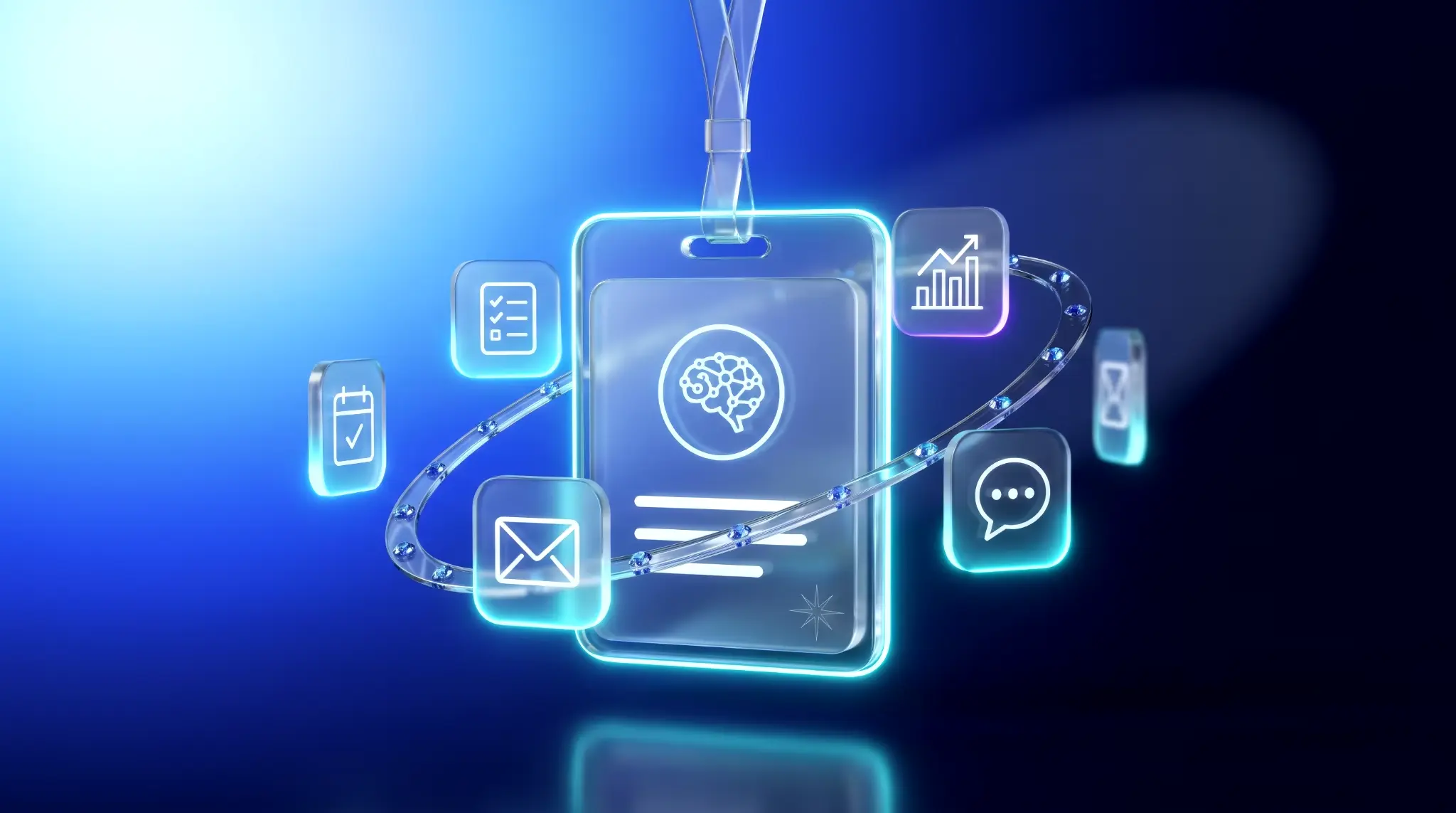
An AI employee is an AI-powered tool that handles specific tasks or workflows on your behalf. Unlike a chatbot that only answers questions, an AI employee can connect to your apps, remember context, and complete work such as managing emails, preparing reports, scheduling meetings, or creating content.
AI employees can take on recurring tasks across marketing, sales, customer support, operations, and other business functions. They help teams reduce manual work, save time, and get more done without adding headcount.
This guide explains how AI employees work, how they differ from AI assistants and AI agents, which roles they can fill, and how to hire and set one up in 2026. We'll also compare available options, including AI employees that work directly inside Telegram.
What is an AI employee?
An AI employee is AI software designed to handle specific responsibilities and complete tasks with minimal human input. It uses your business context, connects to your tools, and manages recurring workflows such as responding to emails, updating project tasks, or preparing reports. You may also see it called an AI worker, digital employee, digital worker, virtual employee, or AI staff.
Unlike a traditional chatbot that responds to individual prompts, an AI employee can work continuously within an assigned role. Three key capabilities make this possible:
- Works independently: An AI employee can start tasks based on schedules or triggers, such as an incoming email, a calendar event, or a message in a team chat. You don't need to prompt it every time.
- Remembers context: Persistent memory helps it retain your preferences, previous conversations, ongoing projects, and past decisions, so you don't have to repeat instructions.
- Takes action: Through integrations with business tools, it can send emails, schedule meetings, update spreadsheets, create tasks, and complete workflows across multiple apps.
An AI employee doesn't replace human accountability. It can handle routine work independently, but important decisions and sensitive actions should remain under human oversight. The goal is to delegate repetitive tasks while keeping people in control of the outcomes.
The technology behind AI employees
AI employees are powered by large language models (LLMs), the same technology behind ChatGPT and Claude. These models help them understand natural language, process information, and generate responses. Agentic AI adds the ability to plan tasks, use tools, and complete multi-step workflows.
Several technologies work together to make this possible:
- Large language models (LLMs) understand instructions, analyze information, and generate content.
- Memory stores relevant context, preferences, past interactions, and project details.
- Integrations connect AI employees to tools like Gmail, Slack, Google Calendar, and project management platforms.
- Triggers and automation start tasks based on schedules, incoming messages, or changes in connected apps.
- Rules and permissions define what an AI employee can do independently and which actions require human approval.
Some AI employees also support multiple AI models, allowing them to use different models depending on the task.
AI employee vs AI assistant vs AI agent: what's the difference?
The difference is who decides the next step.
An AI assistant waits for you to ask. Automation follows rules you wrote in advance. An AI agent plans its own steps toward a goal. An AI employee is an AI agent given a standing role, memory, and triggers, so it keeps picking up work without being asked.
| Chatbot / AI assistant | Automation (Zapier, RPA) | AI agent | AI employee | |
|---|---|---|---|---|
| Who starts it | You, every time | A trigger you set | A goal you give | Its own schedule or triggers |
| Who picks the steps | You | You, in advance | The agent | The agent, within its role |
| Memory | Per conversation | None | Across weeks | Across weeks |
| Takes actions | Rarely | Yes, fixed ones | Yes, with approvals | Yes, with approvals |
| Best for | Quick answers, drafts | Predictable, repeatable flows | Multi-step one-time & recurring tasks | Ongoing responsibilities |
| Your role | Ask and copy | Build and maintain | Brief and check | Delegate and review |
So the AI employee vs AI agent question has a short answer: every AI employee is an AI agent, but not every agent is set up as an employee. The packaging, a role, persistent context, and clear oversight, is what makes it dependable for recurring work.
The AI employee vs AI assistant gap is bigger. A personal AI assistant like ChatGPT gives you a strong draft; you still send it, file it, and remember to follow up. An AI employee does those last steps too.
And automation isn't the loser here. If a process never varies, a Zapier-style rule is cheaper and more predictable. Use an AI employee when the work needs judgment and context.
Why companies and solo professionals hire AI employees
Companies hire AI employees to automate repetitive work, save time, and get more done without expanding their teams. The main benefits of hiring an AI employee include:
- Save time on routine tasks. Automate recurring work like inbox management, daily briefings, data entry, and reporting instead of handling it manually every day.
- Work around the clock. AI employees can monitor incoming requests, process information, and complete scheduled tasks outside regular business hours.
- Keep work consistent. Set up recurring workflows that follow the same instructions and formats, from weekly reports to customer follow-ups, without relying on manual reminders.
- Scale without hiring more people. Take on more operational work without the costs of additional salaries, recruitment, and onboarding.
- Reduce context switching. Connect email, calendars, documents, and project management tools so an AI employee can handle tasks across apps without constant manual input.
AI employees still require clear instructions, appropriate permissions, and human oversight, especially for sensitive tasks or important decisions. The biggest value comes from delegating predictable, repetitive work while keeping people responsible for strategy and outcomes.
What can an AI employee do? Roles by profession
Depending on their integrations and permissions, AI workers can monitor information, prepare reports, create content, manage schedules, and take action across business tools.
The tasks you can delegate depend on your role. Here are practical examples of how professionals use AI employees like Mira to automate everyday work.
Founders and executives: AI assistant
An AI chief of staff or AI executive assistant helps founders and executives stay on top of meetings, priorities, business performance, and important communications. Instead of checking multiple apps throughout the day, they can get relevant updates and delegate routine administrative work.
- Daily briefings: Get a morning summary of upcoming meetings, urgent emails, pending decisions, and outstanding commitments.
- Business monitoring: Track key metrics across connected tools and receive alerts when something needs attention.
- Inbox management: Identify important messages, summarize conversations, and draft replies.
- Smart reminders: Get reminders about meetings, follow-ups, deadlines, and personal commitments with relevant context.
🟢 Prompt example
Marketing and growth: AI marketing assistant
A marketing-specific AI employee helps marketing teams plan content, monitor campaigns, analyze performance, and prepare reports. It reduces the time spent gathering data and managing repetitive tasks so marketers can focus on strategy and creative work.
- Content planning: Generate weekly or monthly editorial calendars with topics, formats, and publishing dates.
- Performance reporting: Collect campaign metrics, compare results, and organize reports in Google Sheets.
- Competitor monitoring: Track competitor activity, industry news, and emerging trends with regular summaries.
- Social media management: Draft posts in your brand voice, generate visuals, and publish content through supported integrations.
Engineering and IT: AI assistant for developers
A developer AI employee helps engineering teams monitor projects, troubleshoot issues, and stay updated without constantly switching between GitHub, project management tools, and team chats.
- Pull request monitoring: Track new pull requests, pending reviews, and repository updates through GitHub.
- Team updates: Summarize engineering discussions, decisions, and blockers from Slack or Telegram.
- Technical troubleshooting: Analyze error messages, explain logs, and suggest fixes.
- Project coordination: Create or update Jira and Linear tickets, track issues, and prepare progress summaries.
🟢 Prompt example
Creators and media: AI content creator
An AI employee for content creators helps bloggers, influencers, and media teams produce and publish content more efficiently. It can support the entire workflow, from brainstorming ideas to generating visuals and preparing posts.
- Content calendars: Plan topics, formats, and publishing schedules based on your niche and audience.
- Content generation: Draft social media posts, captions, scripts, and other content in your preferred style.
- Image and video creation: Generate covers, illustrations, short videos, and stickers using AI models.
- Automated publishing: Prepare and publish content to connected social media platforms on a schedule.
Sales: AI sales assistant
An AI employee can help sales professionals manage leads, prepare outreach, organize meetings, and keep track of deals. It can handle administrative tasks throughout the sales process while leaving relationship-building and negotiations to people.
- Sales content: Draft personalized emails, product descriptions, proposals, and follow-up messages.
- Meeting management: Track upcoming calls, send reminders, and prepare meeting agendas.
- Lead qualification: Review inbound inquiries, collect relevant information, and identify potential opportunities.
- Sales follow-ups: Monitor conversations, flag unanswered messages, and draft follow-ups based on previous interactions.
Product and project managers: AI project manager
An AI project manager helps teams coordinate work, track deadlines, and keep important decisions from getting lost in conversations. It connects project discussions with the tools teams use to manage their work.
- Daily priorities: Get morning briefings with meetings, upcoming deadlines, and tasks that need attention.
- Deadline reminders: Receive contextual reminders before meetings, milestones, and project deadlines.
- Task creation: Turn voice notes, meeting notes, or chat messages into structured tasks in Notion, Jira, or Linear.
- Decision tracking: Capture decisions, action items, and assigned owners from team discussions.
- Status updates: Summarize project progress, identify blockers, and prepare updates for stakeholders.
🟢 Prompt example
Small businesses, educators, and other roles
AI employees also support specialized tasks in smaller businesses and professional services.
- Small businesses: An AI receptionist can handle routine customer inquiries, qualify leads, manage appointments, and follow up with customers. More complex requests can be escalated to a person.
- Education: An AI teaching assistant can prepare lesson plans, create learning materials, generate presentations, and organize daily language practice.
- Human resources: An AI employee for HR can draft job descriptions, prepare interview questions, coordinate schedules, and organize candidate information.
- Legal services: An AI employee in legal space can summarize documents, review contract drafts, extract key terms, and help prepare standard documentation for professional review.
The common benefit across all these roles is delegation. Instead of repeatedly collecting information, preparing documents, and managing routine workflows, professionals can assign these responsibilities to AI employees and focus on decisions, relationships, and work that requires human expertise.
How to hire an AI employee in 5 steps
To hire an AI employee, treat it like a junior hire: give it one clear job, the context to do it, and a review loop. Here's the sequence that works.
- Pick one recurring job: "Brief me at 9 every weekday" is a job; "help with work" isn't.
- Write the job description: Say what it owns, what it never does alone, and when it should ask you. Two or three sentences is enough.
- Give it context and access: Connect the apps the job depends on — inbox, calendar, docs, repo. Start with read access and add write access once you trust the output.
- Set the schedule and the review loop: Use triggers and scheduled tasks so the work starts on its own. For the first week, have it draft and you approve.
- Measure, then expand: Track hours saved per week. When the first job runs reliably, add the next one.
The common failure isn't a bad AI employee. It's one that was connected but never given a clear job or a start date.
The best onboarding is the one you barely notice — a job description typed as a message, and results the next morning.
What to look for in an AI employee
The best AI employees share four things: memory, real integrations, the ability to act, and a home in the tools you already use. Everything else like price, model, interface matters less than those four.
| Criterion | What to check | Why it matters |
|---|---|---|
| Persistent memory | Does it remember you across conversations? | Without memory, you re-explain your job every session. |
| Integrations | Does it connect to the apps the role needs? | An AI employee that can't reach your inbox can't triage it. |
| Execution | Does it act, or only advise? | Advice still leaves the work to you. |
| Where it lives | A new dashboard, or an app you already opened? | Tools you have to remember to open get abandoned. |
| Team use | Can several people delegate to one agent? | A shared AI coworker keeps the team in the same context. |
| Privacy and security | Certifications, data storage, training policy | It will see your email and documents. |
| Human control | Approvals, escalation, review | Mistakes are cheaper as drafts than as sent messages. |
| Setup and pricing | Minutes or weeks? Seats, credits, or per task? | Pricing models behave very differently at volume. |
If you only check one thing, check where it lives. An AI employee you have to go and visit gets used less than one that's already in your day.
The best AI employee options in 2026
The best AI employee depends on the job. The market splits into two camps: specialists that do one role in depth, and generalists that cover many roles with one agent. Pick a specialist if one function eats most of your time; pick a generalist if your week jumps between five kinds of work.
| Option | Type | Best for | Where it lives |
|---|---|---|---|
| Mira | Generalist personal AI agent | Founders, marketers, creators, engineers, small teams | Telegram (DMs, group chats, Telegram Business) |
| Lindy | Communications assistant | Inbox, meetings and calendar follow-ups | Slack, email |
| Sintra | Roster of role-named helpers | Small businesses wanting separate "hires" per function | Web app |
| Teammates.ai | Three role-based teammates | Support, sales and recruiting | Email, chat, voice, messaging channels |
| Devin | Specialist AI software engineer | Engineering teams offloading coding work | Dev tools and IDE |
| ChatGPT / Claude | General AI assistants | Reasoning, writing, research | Their own apps |
The general assistants deserve a note. ChatGPT and Claude are excellent thinkers, but you drive each step and come to them. The tools above add the employee layer: memory, triggers, and actions.
Mira: the AI employee that works inside Telegram
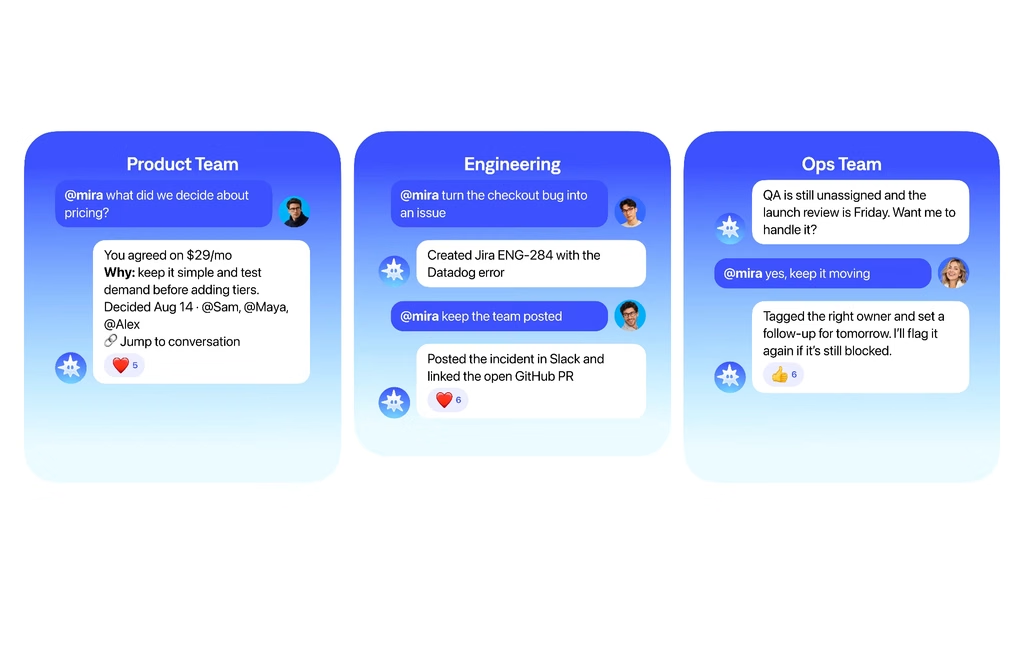
Mira is an AI agent that helps you delegate everyday work directly from Telegram. Instead of switching between apps, managing multiple AI tools, or setting up complex automations, you can assign tasks in a chat and get results in the same place.
Mira connects to your work apps, remembers context, and handles everything from daily briefings and email management to content creation and team coordination. You can use it as a personal AI assistant or add it to a group chat as an AI employee for your entire team.
Here's what you can do with Mira:
- Automate recurring work: Set up daily briefings, weekly reports, reminders, and other routines using simple messages. Mira remembers your preferences and runs scheduled tasks without requiring code or manual prompts.
- Get work done across your apps: Connect 1,000+ tools, including Gmail, Google Calendar, GitHub, Notion, and Google Sheets. Ask Mira to send an email, schedule a meeting, update a document, or create a task without opening each app.
- Give your entire team an AI coworker: Add Mira to a Telegram group where anyone can delegate tasks, request summaries, track decisions, and follow up on action items. Everyone works with the same AI agent, with shared context and no per-seat pricing.
- Automate customer communication: Connect Telegram Business to handle incoming messages, answer common questions, qualify leads, and coordinate appointments without monitoring every conversation yourself.
- Create content without switching tools: Generate images, videos, music, voice, and social media content directly in Telegram using multiple AI models.
Getting started takes just a message. Open @mira, describe what you want to delegate, and connect the tools you need.
You can start with one task, such as a daily morning briefing, and gradually give Mira more responsibilities as your workflow grows.
Start with one job this week
You don't need a strategy to hire your first AI employee. You need one recurring task you're tired of doing. Pick it, describe it, and delegate.
If you already live in Telegram, the fastest way to try is a Telegram AI agent that's one message away. Tell Mira the job and it gets to work.