


AI can help creators do three things that matter most: publish more consistently, grow an audience faster, and turn that audience into revenue without adding more hours to the week.
In practice, that means using AI tools to speed up research, scripting, editing, repurposing, publishing, audience management, and parts of monetization. Some tools handle one of those jobs well. Others can connect several steps into a single workflow.
This guide breaks down the most useful AI tools for creators in 2026, where they save the most time, and how to use them without turning your content process into another stack of apps to manage.
How the best content creators use AI differently in 2026
The biggest gains from AI don’t come from using more tools. They come from connecting the tools you already use into a repeatable workflow. Becoming the best AI content creator in your niche is less about your stack and more about what you can automate around the creative work.
Instead of opening separate apps to transcribe a video, cut clips, write captions, resize assets, and schedule posts, creators can automate much of that chain. The right AI personal automation tools for creators can turn one long-form video into a transcript, several short clips, platform-specific captions, and scheduled posts with far less manual work between each step.
That’s where AI starts saving serious time. Generating a caption in 30 seconds is useful, but removing the need to download a file, upload it somewhere else, copy the output, and remember what comes next saves much more over the course of a week.
The most effective AI growth hacks for creators are therefore less about clever prompts and more about removing repetitive steps. Automate the work that doesn’t need your judgment, and keep your time for the parts that do: ideas, creative direction, audience relationships, and deciding what is actually worth publishing.
AI for YouTube creators: from script to search optimisation
For YouTube, AI is most useful at four points: scripting, editing, packaging, and search optimization.
For scripting, ChatGPT or Claude can turn research and rough notes into an outline, a first draft, or several hook options.
Once the video is recorded, Descript and CapCut can edit from the transcript, remove pauses, generate captions, and speed up repetitive post-production.
If you’re looking for the best AI video editor for YouTube content creators, both are strong options depending on how much control you want over the final edit.
Packaging matters just as much as production. Canva and Midjourney can help develop thumbnail concepts, while generative AI can write multiple title and description variations before you publish. The goal is to test more ideas quickly, not to accept the first AI-generated option.
For search, AI search optimization tools for creators such as vidIQ and TubeBuddy can help surface relevant topics and keywords, while AI handles the writing around them. Use that data to shape titles, descriptions, chapters, and supporting copy around what your audience is actually searching for.
The most useful YouTube AI tools for creators cover different parts of the workflow rather than trying to replace it all. Together, they can take a video from research and scripting through editing, packaging, optimization, and repurposing for other channels.
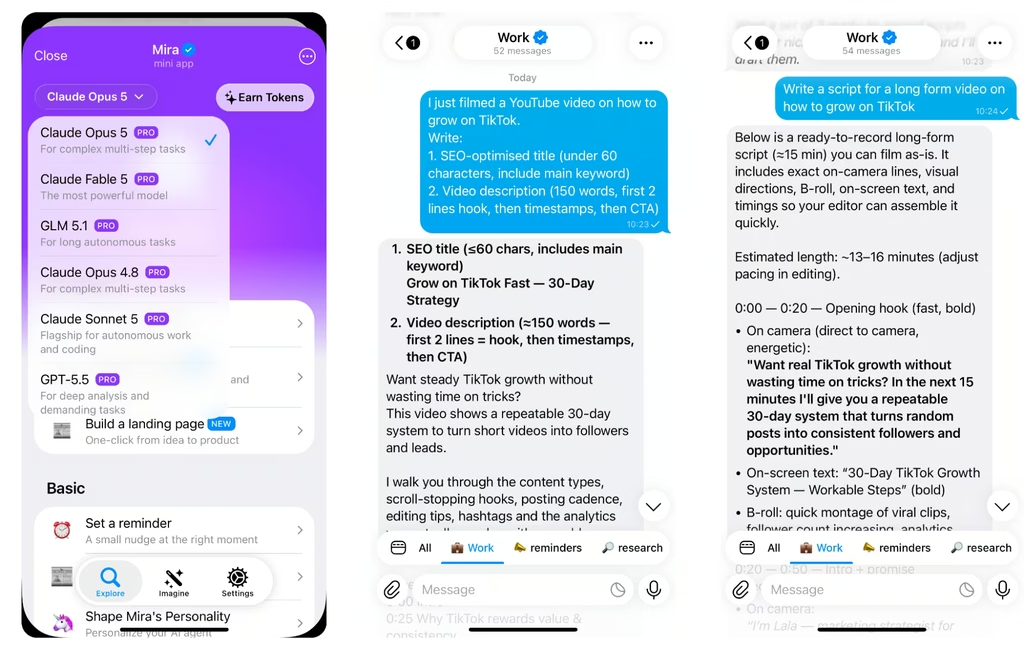
🟢 Prompt — YouTube title and description
I just filmed a YouTube video on: [topic]. Write: 1. SEO-optimised title (under 60 characters, include main keyword) 2. Video description (150 words, first 2 lines hook, then timestamps, then CTA) 3. 10 tags 4. Pinned comment to boost engagement Keyword to target: [keyword].
Best AI TikTok growth tools for creators in 2026
On TikTok, AI is most useful for two things: finding a stronger hook and turning content around faster. The best AI TikTok growth tools for creators 2026 help you test more openings, repurpose existing footage, and publish while a topic is still relevant.
Opus Clip and CapCut can pull short moments from longer videos, reframe them vertically, and add captions, so one recording can become several TikTok-ready posts. AI is also useful before you edit: give it a topic, angle, or script and generate multiple hook variations to test instead of relying on the first idea.
Trend research matters too. TikTok Creative Center and third-party trend tools can surface rising sounds, formats, and topics in your niche, while AI can turn those signals into scripts, hooks, captions, and content variations that fit your style.
The real advantage is output speed. AI won’t make a weak idea perform, but it can shorten the time between idea and publish and make consistent testing much easier.
More content gives you more data on what drives views, follows, clicks, and ultimately revenue. That’s also where AI tools for creators monetization become useful: turning audience growth into repeatable workflows for sponsorships, affiliate content, paid products, and other revenue streams.
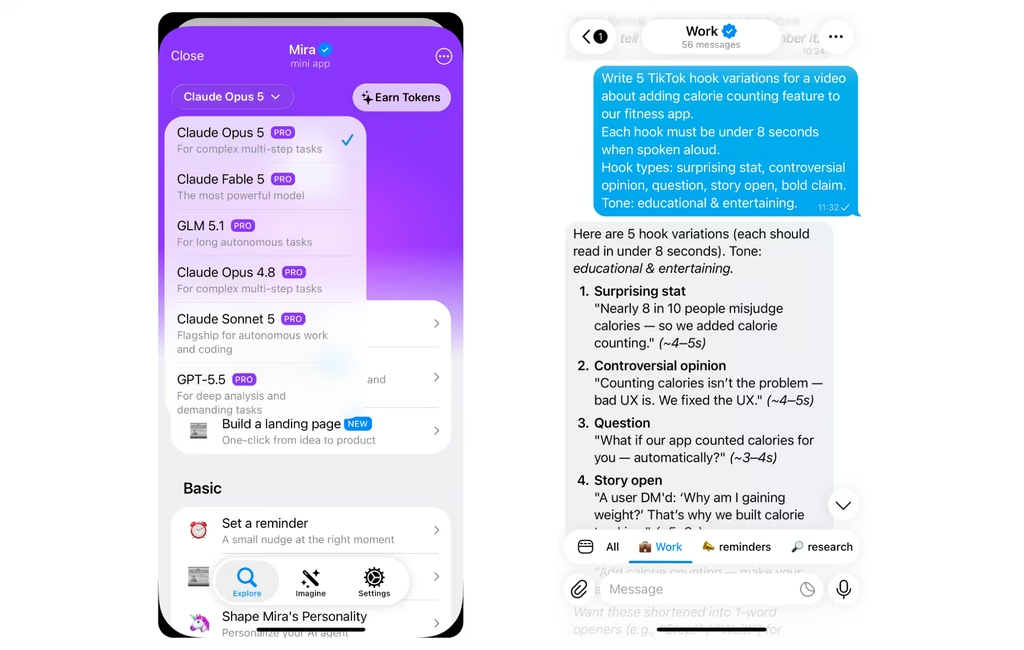
🟢 Prompt — TikTok hook
Write 5 TikTok hook variations for a video about: [topic]. Each hook must be under 8 seconds when spoken aloud. Hook types: surprising stat, controversial opinion, question, story open, bold claim. Tone: [your tone — e.g. casual, educational, entertaining].
AI tools for podcasters: transcription, clips and growth
The best ai tools for podcasters cover four jobs: recording clean audio, transcription, removing filler and noise, and turning a finished episode into clips, show notes, and social posts.
Most podcasters stitch together three or four apps to cover that chain. Here are the top ai tools for podcasters compared.
| Tool | Best for | Free tier | Key strength |
|---|---|---|---|
| Descript | Editing by transcript | ~60 min/month, watermarked exports | Edit audio and video like a document; auto captions |
| Mira | Notes and publishing | Free to start, no separate app | Thumbnails, summaries, and scheduling from your messenger |
| Riverside | Remote recording | 2 hrs recording/month, 720p | Studio-quality local recording plus AI clips |
| Async (ex. Podcastle) | All-in-one studio | Unlimited audio recording + hosting; video and transcription capped | Record, edit, and publish in one browser tab |
| Cleanvoice | Audio cleanup | 30 min of cleaned audio | Removes filler words, mouth sounds, and dead air |
Accurate AI podcast transcription is the foundation for everything downstream — clips, show notes, quote graphics, and captions all start from the transcript. If transcription is wrong, every asset built on it is wrong too. That's why podcast transcription ai is usually the first tool a show adopts, before editing or clipping. For how voice-first tools fit a creator workflow, see our guide to the AI voice assistant.
🟢 Prompt — Podcast repurposing
Here is the transcript of my podcast episode: [paste transcript]. Write: 1. Episode summary (100 words) 2. Show notes with timestamps 3. 3 short clip descriptions for social media (each under 50 words) 4. Email newsletter teaser (80 words) 5. 5 quote pulls for graphics
AI for creator monetisation and brand deals
AI doesn't create revenue streams, but it removes the friction that stops creators from working on them. The five most common ways creators earn all involve writing, pitching, or packaging — exactly what AI is good at.
| Revenue stream | How AI helps | Tool example |
|---|---|---|
| Brand deals | Drafts pitch emails and media kits from your stats | AI sales tools for content creators like Mira |
| Affiliate content | Writes comparison posts and product roundups at scale | ChatGPT, Claude |
| Course creation | Turns your best content into outlines, scripts, and workbooks | Notion AI, ChatGPT |
| Merch copy | Generates product names, descriptions, and drop announcements | Copy.ai, Jasper |
| Membership community | Summarises threads, drafts welcome messages, keeps members engaged | Mira |
The through-line is outreach and packaging — the tedious writing that stops creators from working revenue streams they already have. The biggest wins are usually in the pitching and follow-up, which most creators avoid because it's dull, not because it's hard.
AI voice and avatar tools for video creators
If you create video without appearing on camera, AI can cover most of the production work around voice, presenters, and supporting visuals.
- ElevenLabs is a strong option if you need an affordable AI voice generator for creators, with realistic narration, voice cloning, dubbing, and multilingual audio.
- HeyGen is one of the clearest choices for an AI avatar for content creators, especially for talking-head explainers, tutorials, course content, and localized videos generated from a script.
- Runway is useful when you need text-to-video or image-to-video clips for b-roll, intros, transitions, and short-form content rather than a traditional filmed scene.
- Murf is better suited to creators who need consistent voiceovers across a series, with a broad voice library and more control over narration style.
The right starting point depends on what slows you down. If recording voiceovers takes too long, start with voice generation.
If being on camera is the bottleneck, use an avatar.
If you need more visual material, add a video generation tool.
The goal isn’t to stack every AI app at once, but to remove the parts of production that take time without adding much creative value.
Free AI tools for content creators: where to start
If you're starting with no budget, five free tools cover the whole pipeline. The best free ai tools for content creators are:
- ChatGPT (free): scripts, captions, brainstorming, and repurposing ideas.
- Canva (free): thumbnails, quote graphics, and social templates.
- CapCut (free): video editing, auto-captions, and vertical reframing.
- Descript (free): around 60 minutes a month of transcription and text-based editing.
- Mira (free to start): run tasks, set reminders, and schedule posts from your messenger.
Start with one tool per bottleneck, not five at once. The best ai software for content creators is whichever one removes your slowest step this week, usually editing or writing, and you add the rest as your output grows.
How Mira helps creators run their business from one chat
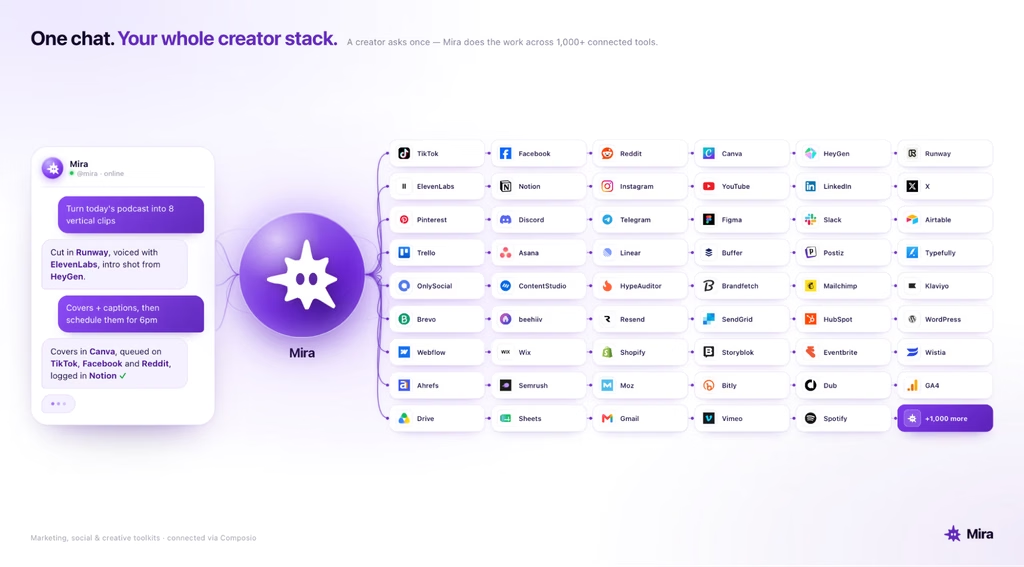
Mira helps creators manage the work around content, not just generate it. From one chat, you can draft, repurpose, schedule, follow up, and trigger actions across the tools you already use instead of moving the same task through several separate apps.
For example, send Mira a podcast transcript and it can turn it into show notes, pull quotes for social posts, draft promotional copy, schedule the announcement, and remind you to follow up with a sponsor later in the week. Actions that publish or send something on your behalf can wait for your approval before they go out.
Mira connects with 1,000+ tools and gives you access to 10+ AI models, so the same conversation can handle both creative work and the operational steps around it. It also keeps context across your work, including your tone, preferences, and recurring routines.
For creators, that means less time copying files, switching tabs, and rebuilding the same workflow every week. You keep the creative decisions; Mira handles more of the repetitive work required to get content published and keep the business around it moving.
🟢 Prompt — Weekly creator workflow
I just finished creating content for the week. Here is what I published: [list]. Now help me: 1. Write a sponsor outreach email to [brand type] based on my audience and content 2. Create a weekly newsletter summary of my content 3. Draft 3 replies to top comments on my latest video 4. Plan next week's content calendar with 5 ideas based on my niche: [niche]