AI Tools for Content Creators in 2026: The Stack That Saves the Most Time
The best AI tools for content creators in 2026 are not one app. They are a small stack built around the work you actually do: writing, video, images, voice, and automation. No single tool is best at every format, and trying to force one into every job usually means giving up either quality or speed.
The biggest time savings come from choosing one reliable tool for each part of the workflow and making those tools work together. This guide breaks down the best AI for content creators by format, shows where AI saves the most time, and includes copy-paste prompts you can use right away. It also looks at which tools are genuinely free and how a messenger-native agent like Mira can replace several separate apps with one workflow.
What do AI content creator tools actually cover?
AI tools for content creators generally cover five parts of the workflow: writing, video, images and design, voice, and automation. Most generative AI tools specialize in one or two of these areas rather than doing everything equally well.
- Writing: Scripts, captions, hooks, blog drafts, outlines, and turning one idea into multiple posts.
- Video: Both generation and editing: creating clips from text or images, cutting footage, adding captions, removing filler, and cleaning up audio.
- Images and design: Thumbnails, illustrations, social graphics, product visuals, and quick branded assets.
- Voice: Text-to-speech, voiceovers, transcription, dubbing, and voice cloning for narration.
- Automation: Scheduling, cross-posting, repurposing, recurring workflows, and tasks that run without manual setup every time.
There's no single tool that owns all five. That's the catch. Build a full stack and you win on quality but juggle five logins, five bills, and five places your work lives. Pick fewer tools and you trade some polish for a workflow you can actually keep up with. The rest of this guide is about making that trade on purpose.
Best AI tools for content creators in 2026 by format
The best AI tools for content creators in 2026 tend to be specialists. One is better for editing video, another for generating images, another for voice, and another for keeping the whole workflow moving.
The seven tools below cover the main parts of a creator workflow, with a clear look at what each does best and whether the free tier is actually useful.
Read it as a menu, not a shopping list. Most creators do not need seven separate tools. A typical stack might use three or four specialist apps, then an AI agent or automation layer to connect the steps and reduce the amount of copying, exporting, and switching between apps.
AI video tools for content creators
Video is where AI can save creators the most time because it removes work from the most manual parts of the process: scripting, generating footage, cutting clips, adding captions, and cleaning up audio.
The best AI video maker for content creators is usually not one app. Generation and editing are different jobs, so the strongest setup combines a video generator with an editor.
The best AI video generator for content creators depends on the style you need:
- Runway is a strong choice for cinematic text-to-video and image-to-video, especially when you want more control over shots and visual consistency.
- For editing, tools like CapCut and Descript handle the repetitive work. CapCut can generate captions, remove silences, and speed up short-form edits.
- Descript lets you edit a podcast or talking-head video by editing the transcript itself.
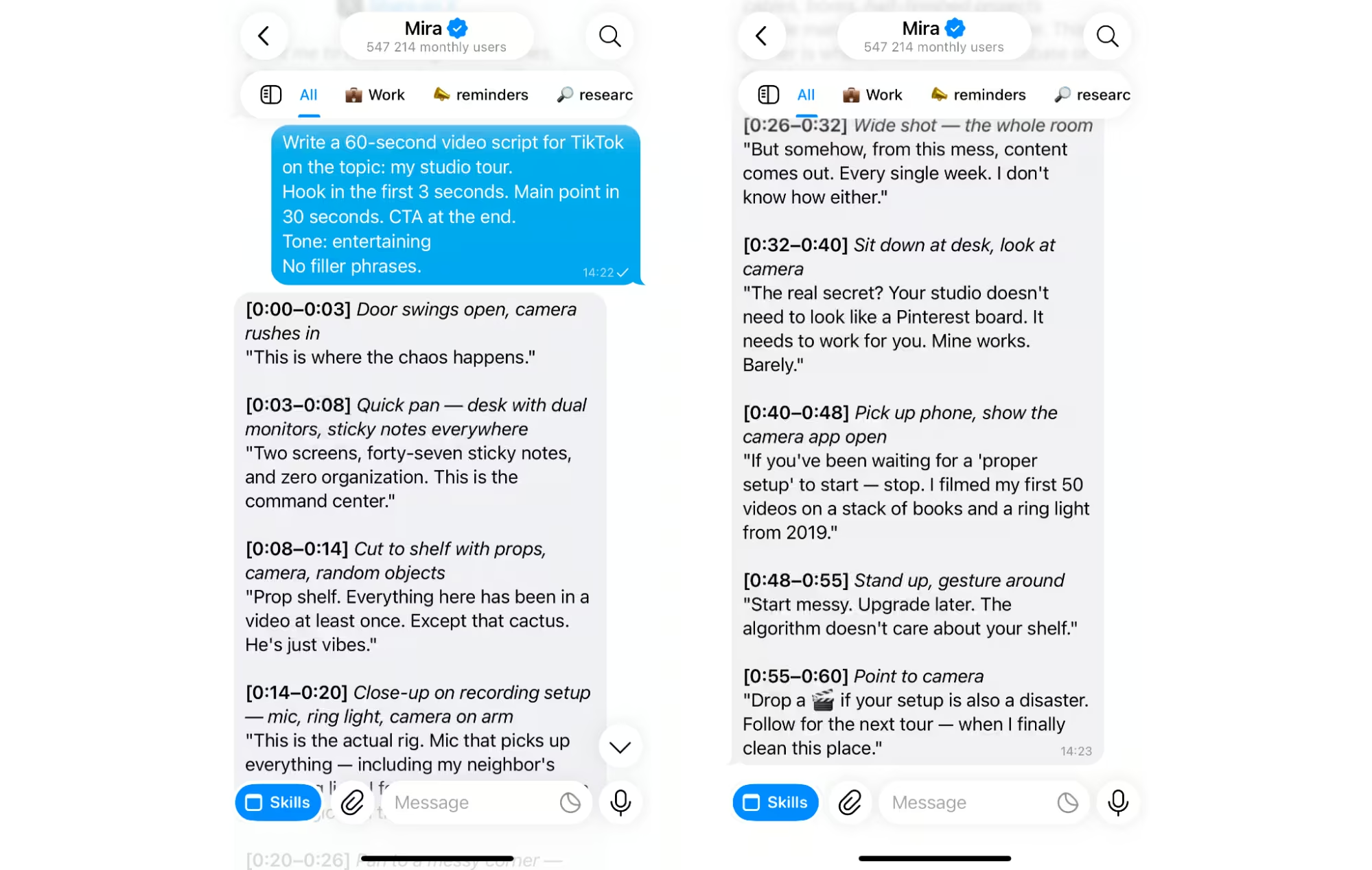
But one of the biggest bottlenecks comes before you open the editor: the script. A 30- or 60-second Reel, Short, or TikTok needs to get to the point quickly, and writing that from scratch can take longer than expected. This is where a good prompt can save just as much time as the editing tools themselves.
🟢 Prompt — Writing a script
Hook in the first 3 seconds. Main point in 30 seconds. CTA at the end.
Tone: [casual / educational / entertaining].
No filler phrases.
AI image, voice and writing tools for creators
Outside video, most creator workflows come down to three recurring jobs: making visuals, producing voice, and writing content. The best tool depends on the task, and several are useful even before you pay.
- Thumbnail creation: Canva AI is one of the easiest options for fast, on-brand thumbnails, especially when you need layouts, text, and simple edits in one place. The free tier is enough for occasional use.
- Voice-over: ElevenLabs is a strong choice for natural AI narration, with voices that work well for explainers, Shorts, podcasts, and longer videos. A limited free tier is available.
- Caption writing: Most strong AI writing tools can handle hooks, captions, and rewrites. Mira can draft them directly in your messenger, which is useful when you are already managing the rest of the workflow there.
- Text to speech: ElevenLabs is also one of the better options for high-quality TTS, especially when pronunciation and natural pacing matter.
- Image editing: Models such as GPT Image 2 and Nano Banana can handle background changes, object edits, product visuals, and creative variations. Canva is better for lighter layout and design work.
- Post generation: Mira can take one idea and turn it into multiple posts, captions, or platform-specific versions without moving the draft between separate apps.
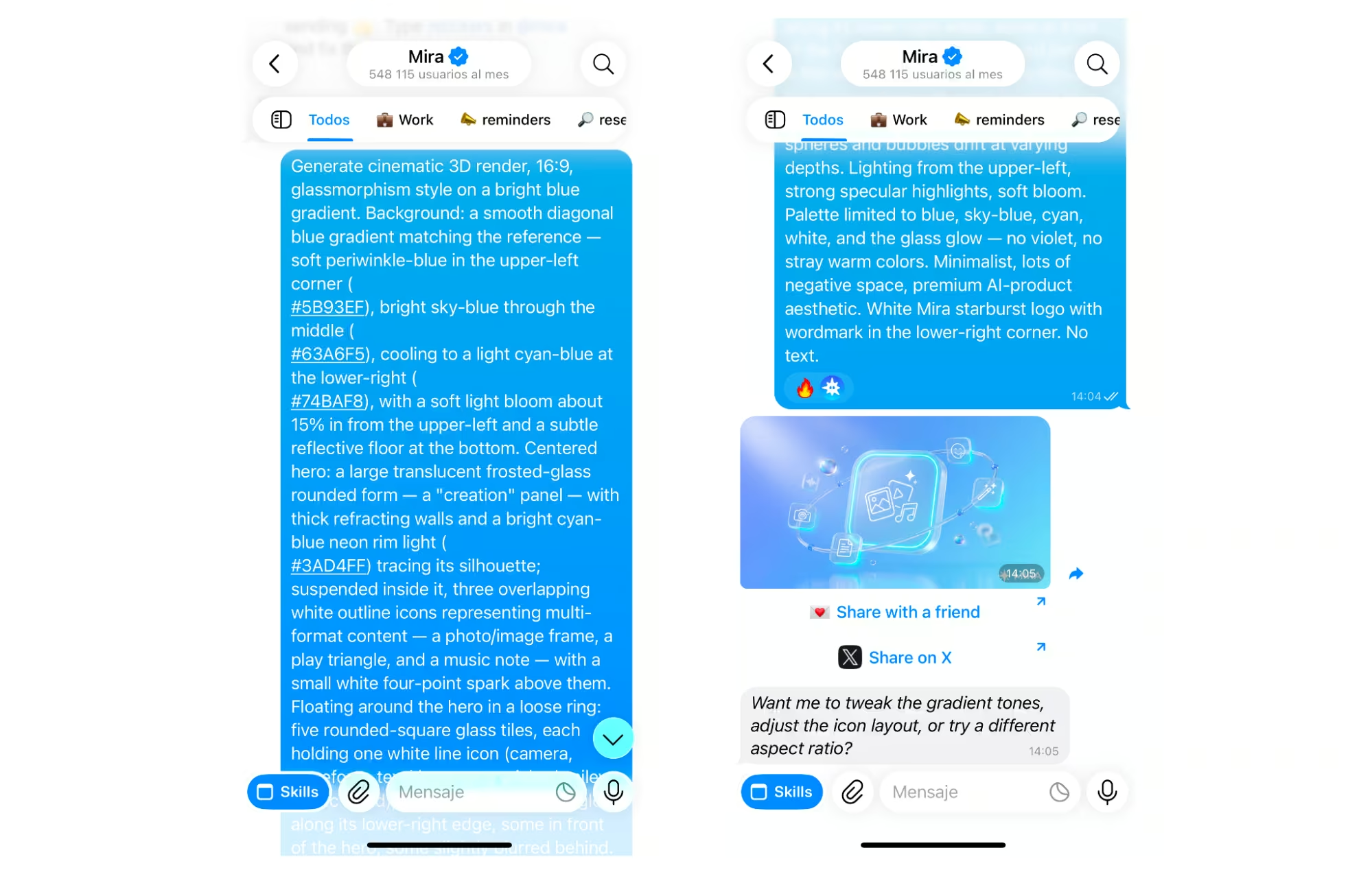
Thumbnails are especially worth batching because small changes in image, text, or composition can make a big difference to click-through rate. Instead of designing one at a time, use a prompt to generate several directions at once.
🟢 Prompt — Thumbnail generation
Each concept: main visual element, text overlay (max 5 words), colour scheme and emotional hook. Style: [bold / minimal / cinematic].
AI tools for social media content creators: scheduling and repurposing
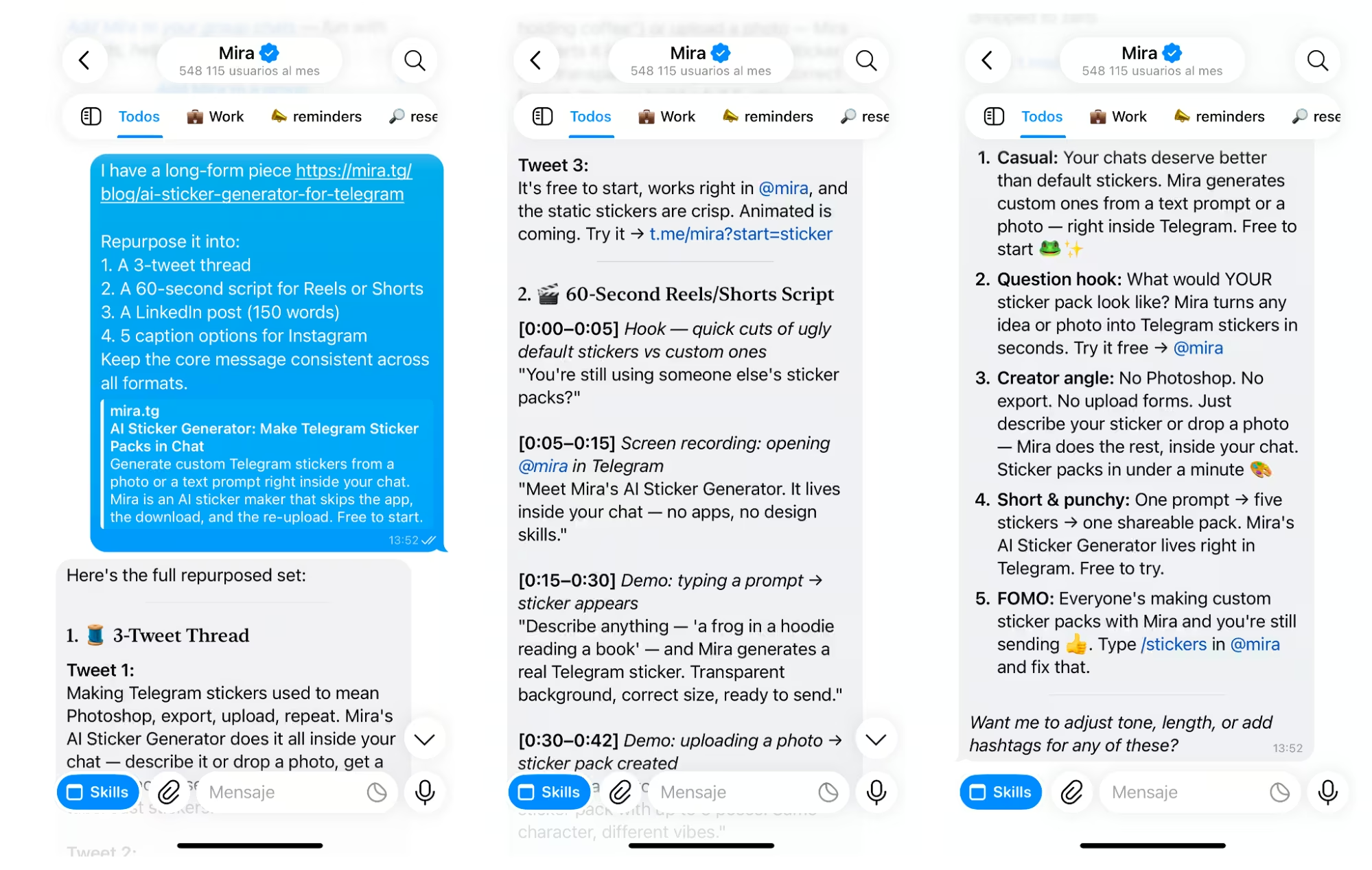
AI tools for social media content creators save the most time on repurposing. Instead of creating separate content for every platform, you can start with one strong long-form piece and adapt it into the formats each channel needs.
The workflow is simple: record a video, publish a podcast, or write a longer post, then use AI to turn it into a thread, a short-form video script, a LinkedIn post, and several captions.
The core idea stays the same, but the format, length, and tone change for each platform.
That is usually the first workflow worth automating because it repeats every week. The best AI workflows for creators go one step further: they do not just generate the content, they also schedule it and keep publishing on a set cadence.
You create the source material once, approve the outputs, and avoid coming back every day to rewrite, copy, and post the same idea in a different format.
🟢 Prompt — Repurposing
Repurpose it into:
1. A 3-tweet thread
2. A 60-second script for Reels or Shorts
3. A LinkedIn post (150 words)
4. 5 caption options for Instagram
Keep the core message consistent across all formats.
Automate that one loop and you've bought back the hour you lose reformatting every week.
Free and budget AI tools for content creators
You do not need a paid subscription for every part of your workflow. The best free AI tools for content creators in 2026 are good enough for writing, editing, design, voice, and basic automation, as long as you know where the limits are.
Here is what the strongest free tiers are actually useful for:
- CapCut: One of the best free options for short-form video editing, with auto-captions, trimming, and basic exports without a watermark.
- Canva AI: Useful for thumbnails, social graphics, templates, and light AI-assisted design. Free accounts get access to core design tools plus limited AI usage.
- ElevenLabs: A good way to test AI voiceovers and text-to-speech before paying. The free plan has a monthly usage cap and restrictions on commercial use.
- Descript: Useful for podcast and talking-head editing, especially if you prefer editing video or audio by changing the transcript.
- Mira: Combines writing, image generation, repurposing, and scheduling in one chat, which can replace several separate tools for lighter creator workflows.
The main limitation of free plans is not quality. It is volume and usage rights. Expect monthly caps, export limits, watermarks on some tools, and commercial-use restrictions on certain outputs. Free tiers are usually enough to test a workflow and publish occasionally, but check the terms before using the output for paid or sponsored content.
How Mira works: Your AI creative studio in one chat
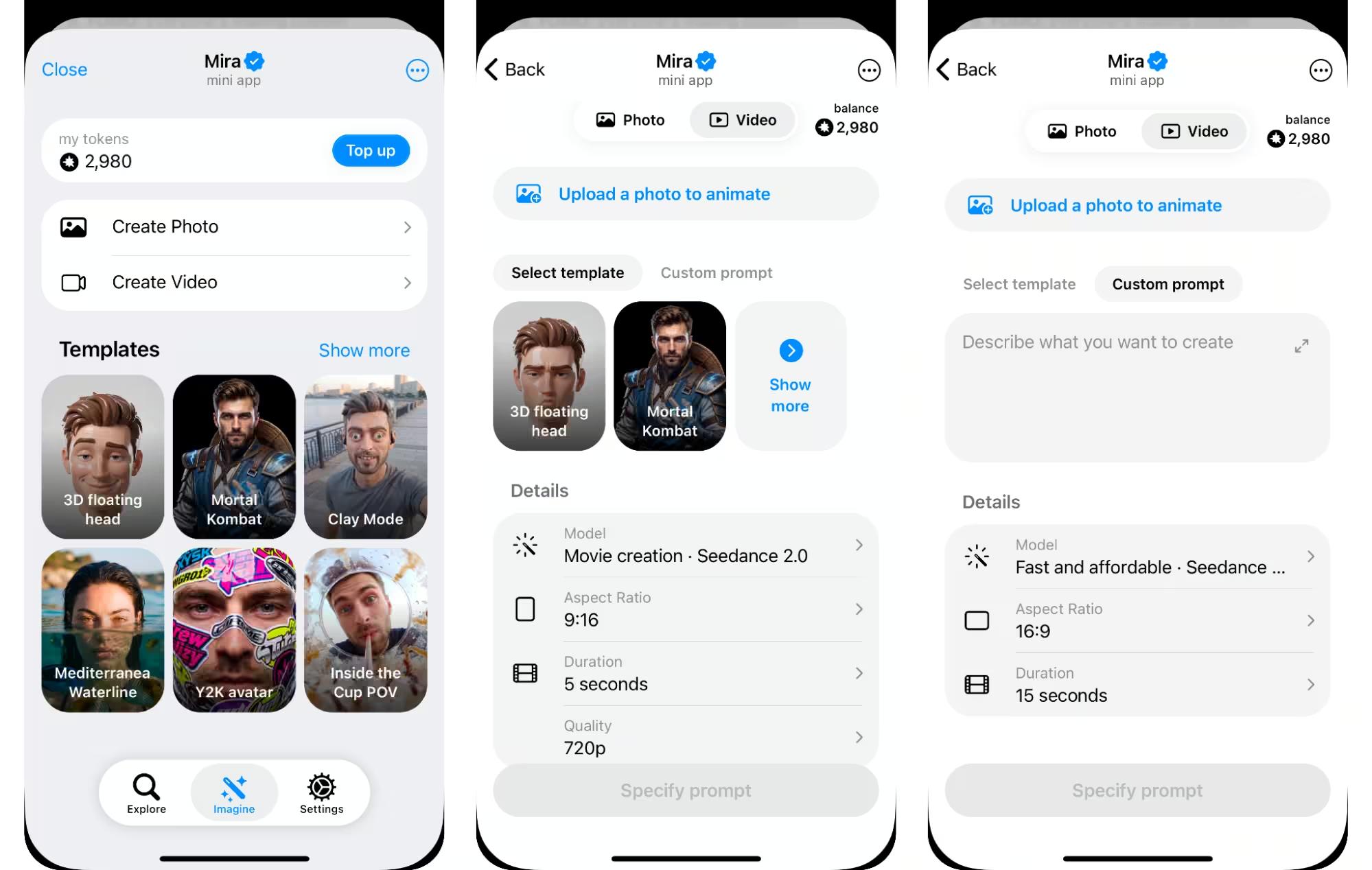
Mira is an AI assistant for content creators that brings writing, image, video, voice, and publishing into one Telegram chat. It gives you access to 10+ AI models, including GPT, Claude, DeepSeek and Kimi for writing, plus Nano Banana, Nano Banana Pro, GPT Image 2, Seedream 4.5 and Qwen Image Edit for visual work, so you can use different models without moving between separate apps.
A workflow can start with something as simple as a voice note. Send Mira a rough idea and it can turn it into a script, generate a cover image, create variations for different platforms, and prepare the finished content for publishing. You can keep refining everything in the same conversation instead of moving copy, prompts, and assets between tools.
Mira also connects to 1,000+ apps, which helps with everything around creation. It can save drafts to Google Docs or Dropbox, pull ideas from Notion, schedule posts on TikTok, and run recurring content workflows. That makes it less like another AI generator and more like a creative workspace that follows an idea from first draft to published content.
🟢 Prompt — Content ideation and planning
Create a content plan for this week:
1. Long-form piece (format: [blog / video / podcast])
2. 3 short-form pieces repurposed from it
3. Posting schedule (Mon-Fri)
4. One hook variation for each short-form piece