



The average professional receives around 121 business emails a day, and not even half of them actually require a real response. The rest still has to be opened, read, sorted, and dismissed.
AI email assistants take that busywork off your hands. They prioritize what's actually urgent, summarize long threads, draft replies in your voice, and get you closer to inbox zero with AI instead of hours of manual sorting.
Which AI email assistant is right for you comes down to one question: do you want a tool that helps you answer email faster, or one that answers it for you? This guide compares the best AI email assistant 2026 has to offer, what each one does, where it fits best, and which tool is the right choice for how you manage email.
What Is an AI Email Assistant?
An AI email assistant is software that uses a language model to read, draft, and manage your email so you spend less time on the parts that don't require human judgment: triage, drafting, tone-matching, summarizing, and follow-ups. The judgment calls, what to actually say and commit to, stay with you.
Most AI email assistants work the same way under the hood. They connect to your inbox through OAuth, use a model to classify and draft messages, and either surface suggestions inside your existing client or act inside a separate one entirely.
These platforms fall under the broader category of AI email automation. Some are built as full AI email automation tools that handle drafting and sorting end-to-end; others operate more like AI email automation services layered on top of the inbox you already use.
AI Email Assistant vs. AI Email Client vs. AI Email Agent
Most of the tools on the market use "assistant" as a label, but there is an actual distinction between the terms and levels of automation.
Comparison Table: Best AI Email Assistants at a Glance
The 9 Best AI Email Assistants, Reviewed
We evaluated each of these AI email assistant tools against its vendor documentation, pricing pages, and public user reviews on sites like G2 and Capterra.
1. Mira — Best for Handling Email as Part of an All-in-One AI Agent
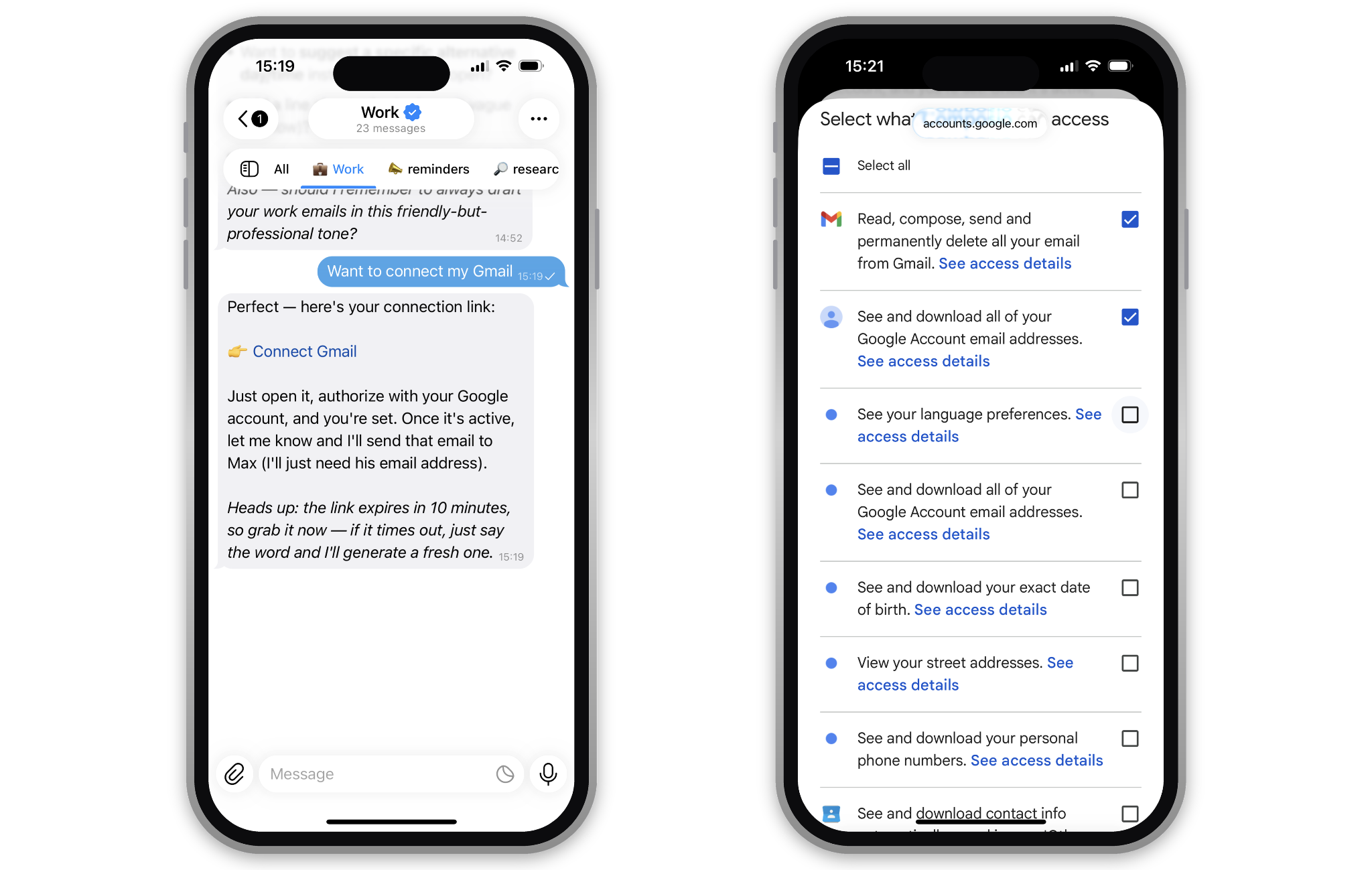
Connecting Gmail to Mira takes one message and a link — no API keys or settings menus. The Google OAuth screen that follows lets you see exactly what access you're granting (email read/send, contacts, etc.) and uncheck anything you don't want to share before confirming.
Pick Mira if you want email handled in the same place as everything else you're juggling from one chat, no separate inbox to open.
Mira AI is a personal AI agent, not a mail client. You tell it what you need in plain language or a voice note, and email is just one of the actions it takes: it drafts, sends, or summarizes on request, then moves straight to the next thing you asked for.
The difference from a standalone email tool is that email isn't a silo here. Ask it to "check if the client replied, and if they did, move our call to Friday and tell the team" and it reads the inbox, updates the calendar, and posts to your group in one pass. One instruction, three tools, no app-switching.
- Natural-language control: Type what you want in normal words or send a voice message — no commands or syntax to learn.
- Gmail integration: Mira connects your inbox alongside other 1,000+ apps, including Calendar, Drive, and Notion.
- One-line setup: Say "connect my Gmail" and it sends back an OAuth link, no API keys, no settings menu to dig through.
- Scheduled summaries: Ask Mira once for a morning inbox digest and it runs on a schedule after that, without being re-prompted each day.
- Memory across chats: Mira remembers your context and preferences, so it doesn't treat every request as a cold start.
- No new interface: Mira runs inside a messenger you already have open on your phone and laptop.
Price: free tier, paid plans from $27/mo
Works with: Gmail, connected through the messenger
Best for: People who'd rather run email, calendar, and automated follow-ups as one connected workflow than switch between four apps to do it.
Not for: Anyone who wants a dedicated inbox screen to scan hundreds of emails by eye. Mira's edge is acting on email, not displaying it.
2. Superhuman — Best for Speed-First Power Users
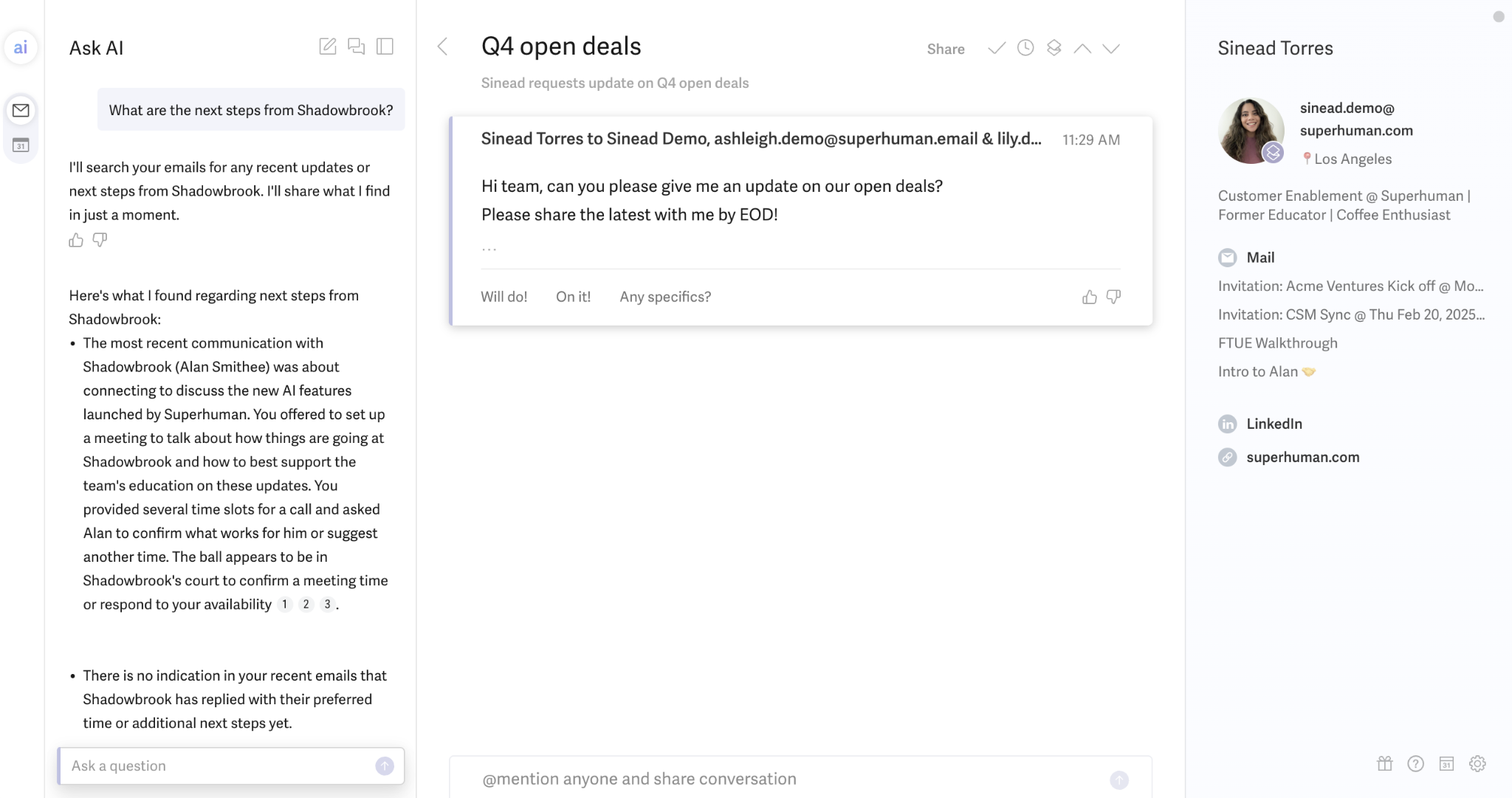
Superhuman's Ask AI feature searches your inbox history to answer questions like "what are the next steps from this client?" without you having to reread the thread yourself.
Superhuman is the right choice if what you want is to do email faster, not have it done for you. It's a full inbox replacement built around keyboard shortcuts and sub-100ms load times, with AI auto-labels and auto-drafted replies layered on top.
- Split Inbox: Groups similar emails so you triage in batches instead of bouncing between topics.
- AI auto-drafts: Detects when a message needs a reply or follow-up and writes one for review, producing AI-generated email drafts you can send in one click.
- Bundled suite: Business tier now includes Grammarly and Coda for text proofreading.
That's email triage automation in its simplest form: sorted before you ever open a message.
Price: Free tier, Pro $12/mo, Business $33/mo
Works with: Gmail, Outlook
Best for: Professionals who live in their inbox and want maximum speed.
Not for: Anyone who wants email off their plate rather than faster – you still read, decide, and respond to every message.
3. Shortwave — Best AI-Native Client for Gmail

Shortwave's AI filters read the content of incoming email against a plain-English instruction — here, applying a "Needs Action" label and marking messages important when they contain a direct request or deadline.
Shortwave is the strongest option if Gmail is your only inbox and you want AI woven into search, drafting, and automation.
Its natural-language search lets you ask "what did Sarah say about the Q3 budget?" and get an answer pulled from your history, not a keyword match.
- Thread summaries: Condense a 30-message thread into one paragraph — Shortwave's version of email thread summarization.
- Ghostwriter: Shortwave learns your writing voice from sent email and drafts accordingly.
- Tasklet: Plain-English automations connecting email to Slack, Notion, and Asana, a form of email workflow automation described in plain English instead of a flowchart builder.
Price: $30–$120/mo (seat/month, annual discounts available)
Works with: Gmail primarily, limited Outlook support
Best for: Gmail-only users who want the most AI-native client available.
Not for: mixed Gmail/Outlook households, native Microsoft 365 support is still thin.
4. Gemini for Gmail — Best Free Starting Point
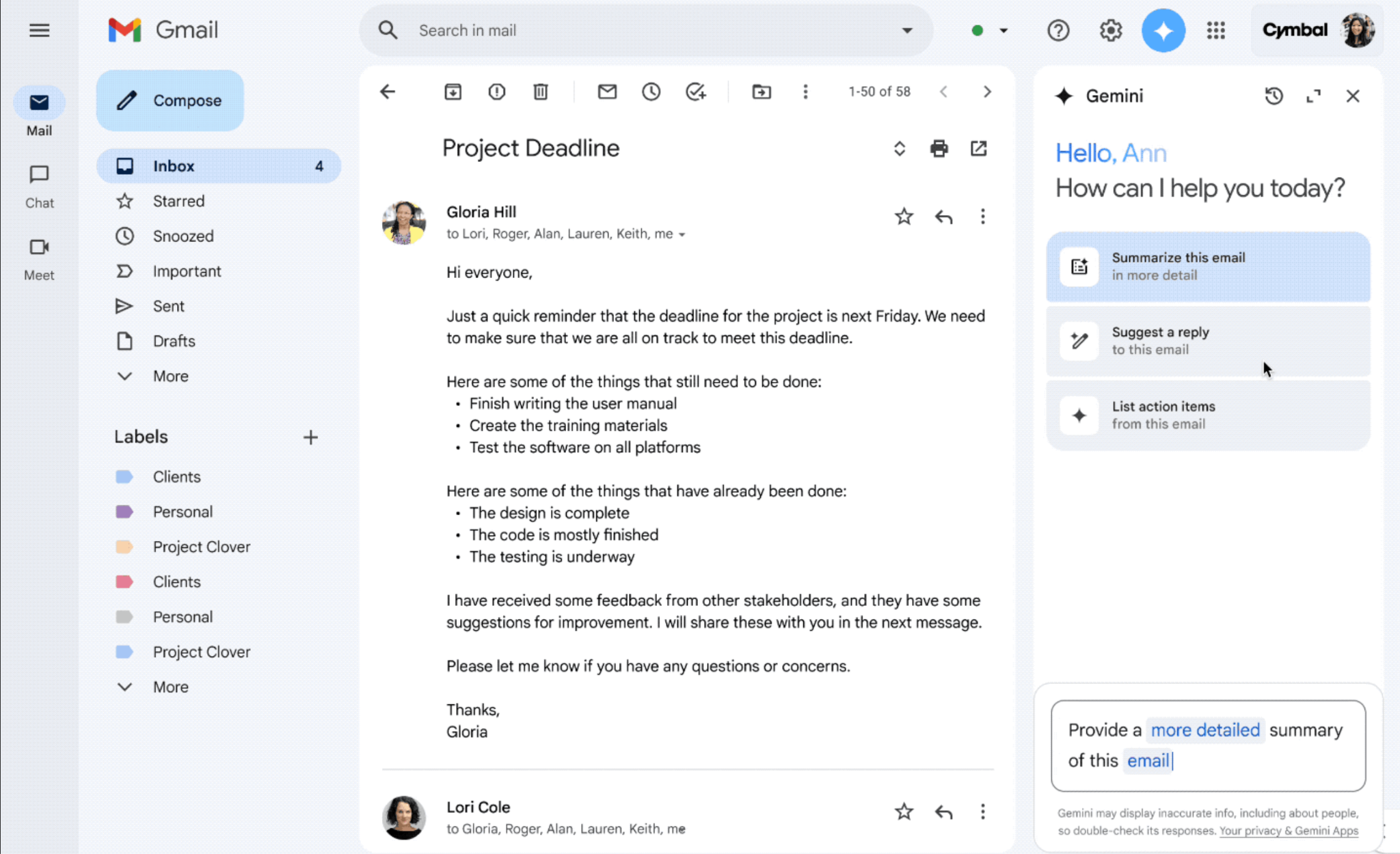
Gemini's side panel in Gmail surfaces one-click actions — summarizing a thread, drafting a reply, or pulling out action items without leaving the Gmail interface.
Think of Gemini as the default Gmail AI email assistant: no separate app, just a panel inside the inbox you already use.
Gemini for Gmail is the best AI email assistant if you're already inside Google Workspace and don't want to pay for a separate tool yet. It's built directly into Gmail, so there's no new app, no OAuth setup, and no migration.
- Help Me Write: Draft emails from bullet points or a short prompt in seconds.
- Summarize: Condenses long threads in a click, without leaving Gmail.
- Included in Workspace: Available on paid Workspace plans, with a limited free version.
Price: free, paid plans from $20/mo (bundled with Google Workspace/One AI Premium)
Works with: Gmail
Best for: Google Workspace users who want AI help with zero setup.
Not for: Proactive triage or task extraction, Gemini acts when you ask, not before.
5. Microsoft Copilot for Outlook — Best for Enterprise Microsoft 365 Shops

Copilot for Outlook drafts email replies directly inside the compose window, prompting you to review the generated text before sending.
Copilot for Outlook is the default choice if your organization already runs Microsoft 365, because it's the same infrastructure IT already manages and audits. It's less about individual speed and more about consistent AI access across an entire company's inbox.
- Draft and summarize: Built into the ribbon, no separate login.
- Coaching by tone: Suggests rewrites for clarity or tone before you send, essentially tone adjustment for emails before they leave your outbox.
- Enterprise compliance: Inherits your organization's existing Microsoft 365 security and data policies.
Price: $30/user/month (Microsoft 365 Copilot add-on)
Works with: Outlook
Best for: Companies standardizing on Microsoft.
Not for: Individuals or small teams. The per-seat enterprise pricing doesn't make sense at a small scale.
6. SaneBox — Best for Passive Inbox Filtering
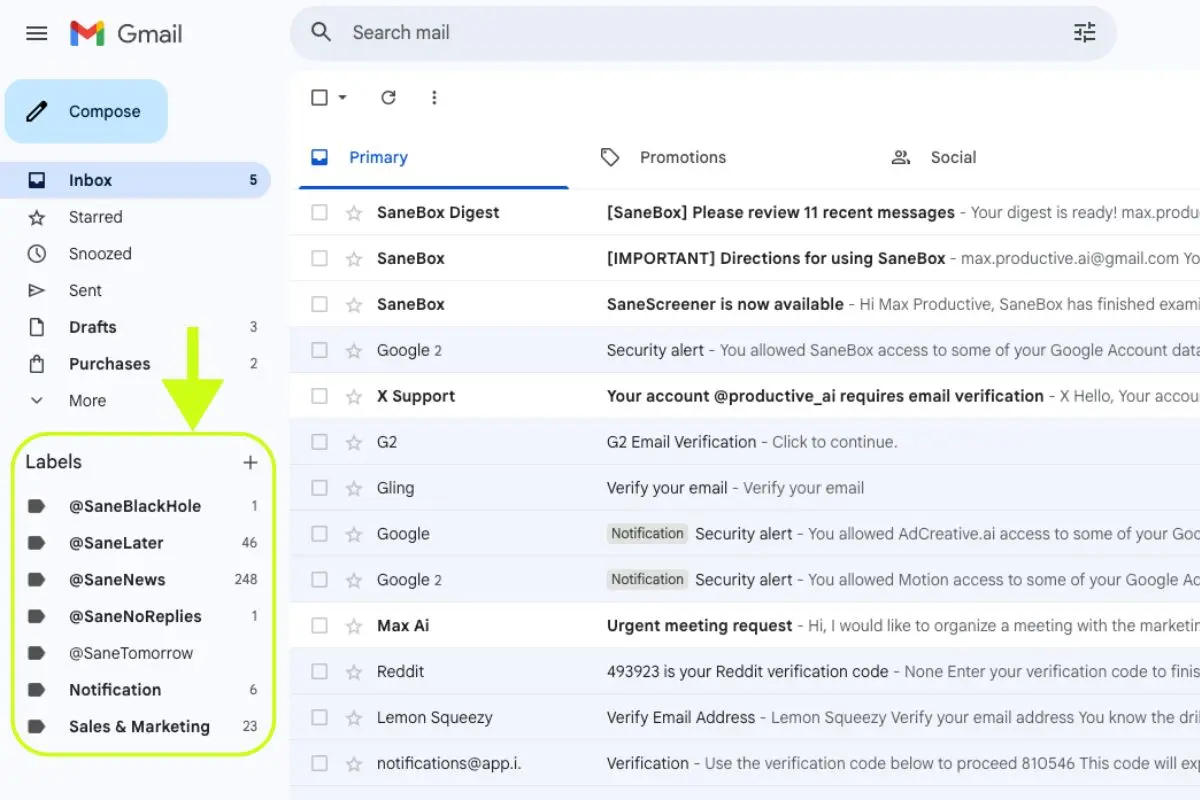
SaneBox sorts incoming mail into folders like SaneLater and SaneBlackHole based on sender patterns, without requiring you to switch email clients or install a new app.
SaneBox is the right pick if your main problem is inbox noise, not drafting, and you don't want to switch email clients at all.
SaneBox works at the server level, analyzing headers rather than content, and sorts messages into folders like SaneLater and SaneBlackHole while you keep using Gmail or Outlook exactly as before.
- Works with any client: No app to install, no interface change.
- SaneBlackHole: A one-click unsubscribe that actually works.
- Do Not Disturb: Holds all email until a time you set.
Price: $7–$36/mo
Works with: any email provider
Best for: Anyone who wants a quieter inbox without changing tools.
Not for: Drafting or task extraction. SaneBox filters and sorts, full stop, and takes 4-6 weeks to fully learn your preferences.
7. Fyxer AI — Best for Auto-Drafted Replies Without Switching Clients
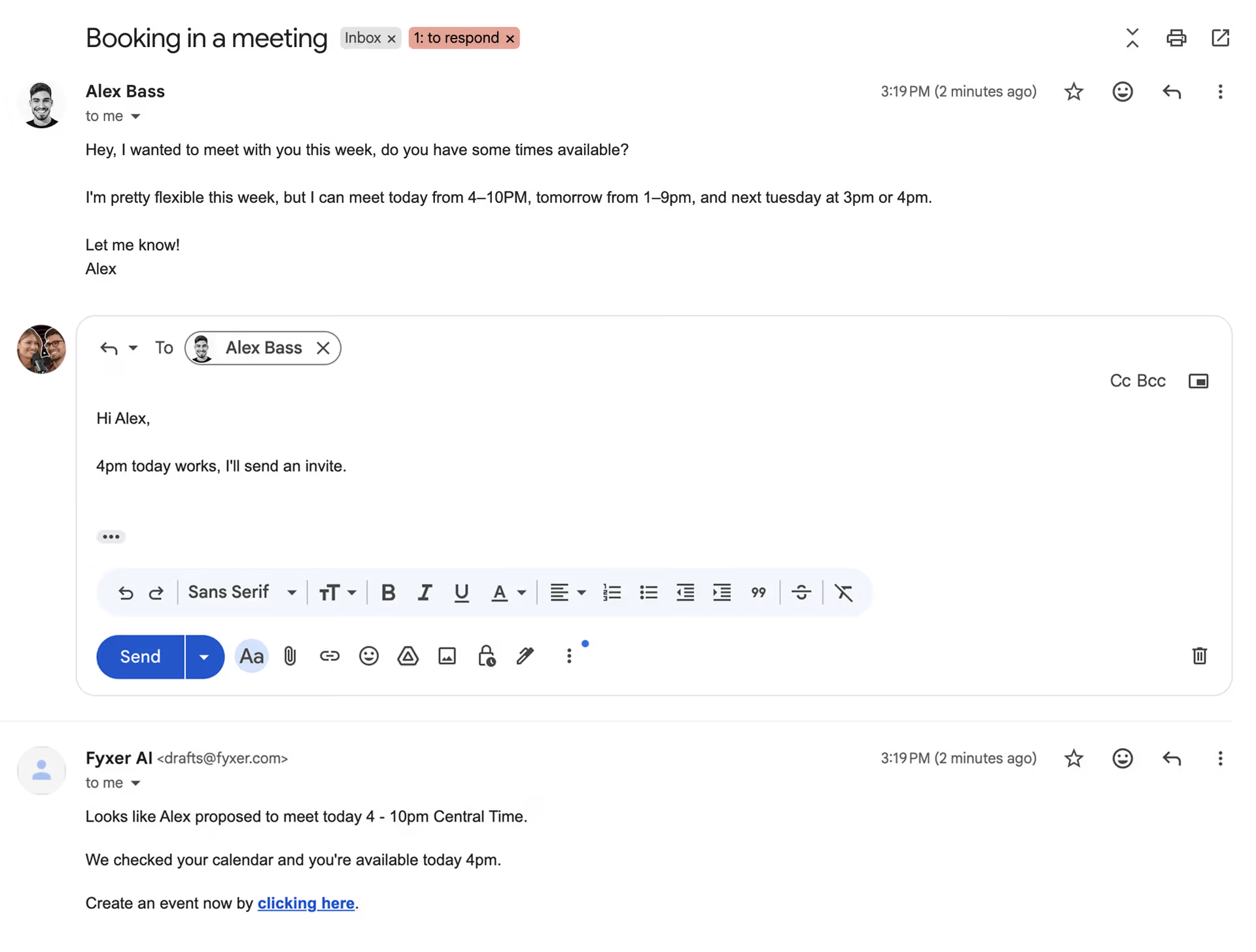
Fyxer AI reads a scheduling email, drafts the reply automatically, and sends a follow-up confirming the meeting time with a one-click link to create the calendar event.
Fyxer AI is the pick if you want proactive draft replies inside Gmail or Outlook without replacing either one. It reads incoming email and generates a response automatically, which you review and send, plus meeting-prep notes pulled from email context.
- Proactive drafts: Generated without you prompting it first.
- Meeting prep: Summarizes relevant email context before a call.
- Inbox organization: Filters spam and newsletters automatically.
Price: $22.50/mo
Works with: Gmail, Outlook
Best for: People who want drafts handled but want to keep their existing inbox.
Not for: Task extraction or follow-up tracking. Fyxer AI covers drafts and sorting, not the full workflow.
8. Front — Best for Teams and Shared Inboxes

Front's shared inbox shows which teammate is assigned to each conversation and lets the team leave internal comments alongside the customer-facing reply, preventing duplicate responses.
Front is the strongest AI email assistant for teams if multiple people work out of the same email address and need to avoid duplicate replies. It's built around shared inboxes, internal comments on threads, and assignment rules, with AI drafting layered on top.
- Shared inbox collision detection: Shows who's viewing or replying to a thread in real time.
- AI draft suggestions: Generates smart email replies based on past team responses.
- Analytics: Tracks response time and volume across the team.
Price: from $19/user/mo
Works with: Gmail, Outlook, shared addresses
Best for: Support, sales, or ops teams sharing an inbox.
Not for: Solo users. The pricing and feature set are built for teams, not individuals.
9. Spark Mail — Best Free Cross-Platform Client

Spark Mail's AI Assistant answers questions about your inbox directly in a chat panel, citing the specific emails it pulled the answer from.
Spark Mail is the best option if you want a free email AI assistant that works identically across Mac, Windows, iOS, and Android. It includes AI Compose and AI Rephrase on top of a clean interface and team features like shared drafts.
- AI Compose: Writes a full email from a short prompt.
- AI Rephrase: Adjusts tone on an existing draft.
- Cross-platform: The same app on every major OS and mobile platform.
Price: free-$20/mo
Works with: Gmail, Outlook, iCloud, Yahoo
Best for: Individuals or small teams on a budget who want one app everywhere.
Not for: Anyone who needs proactive triage or task extraction. The AI here is lighter than some other AI assistants on the list.
Mira vs. Traditional AI Email Tools
Mira handles email differently from every other tool on this list because email isn't a separate product for it. It's one capability inside a single AI agent that also handles your calendar, reminders, and other tasks, all from the same messenger chat you already have open.
Every other tool here asks you to open something: an inbox, a client, a plugin panel. Mira asks you to send a message, the same way you'd text a colleague.
Under the hood, it connects to Gmail and more than 1,000 other apps, so a request like "draft a reply to this email, then block an hour Thursday to review the contract" is one instruction instead of two separate tools you have to coordinate yourself.
You can test this directly: connect Gmail inside Mira and send your next reply request as a message instead of writing it by hand.




.avif)